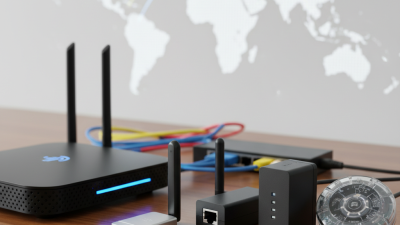
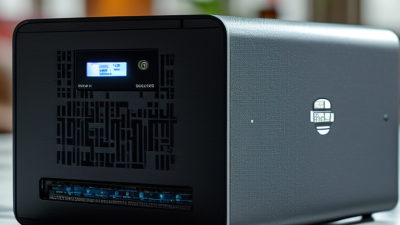
What Is a Router Adapter and How Does It Work?
A Router Adapter sounds simple, yet the term often creates confusion. It may describe a router’s power adapter, which converts wall electricity into the low-voltage power the device needs. It can also mean a network adapter that connects a computer, camera, or smart device to the router. The meaning depends on the product description. That ambiguity deserves attention.
Jeff Doyle, a respected routing expert and co-author of Routing TCP/IP, explains, “Routing is the process of selecting paths in a network along which to send network traffic.” A Router Adapter supports that process in a practical way. For example, an Ethernet adapter may send data through a cable, while a wireless adapter communicates through radio signals. A power adapter performs a different job entirely. It keeps the router operating.
Look at the details.
A typical power adapter lists its output voltage, current, and connector size. These values must match the router’s requirements. A network adapter may show link lights beside an Ethernet port, or display a wireless connection on the computer. Those small indicators reveal whether the connection is active, but they do not prove that internet access works.
This guide will explain how each type works, where it fits in a home or office network, and how to identify compatibility problems. It will also address a common mistake: replacing an adapter based only on appearance. That approach can damage equipment or create unstable connections. The terminology is imperfect, and some product listings use it loosely. Understanding the function matters more than trusting the label.
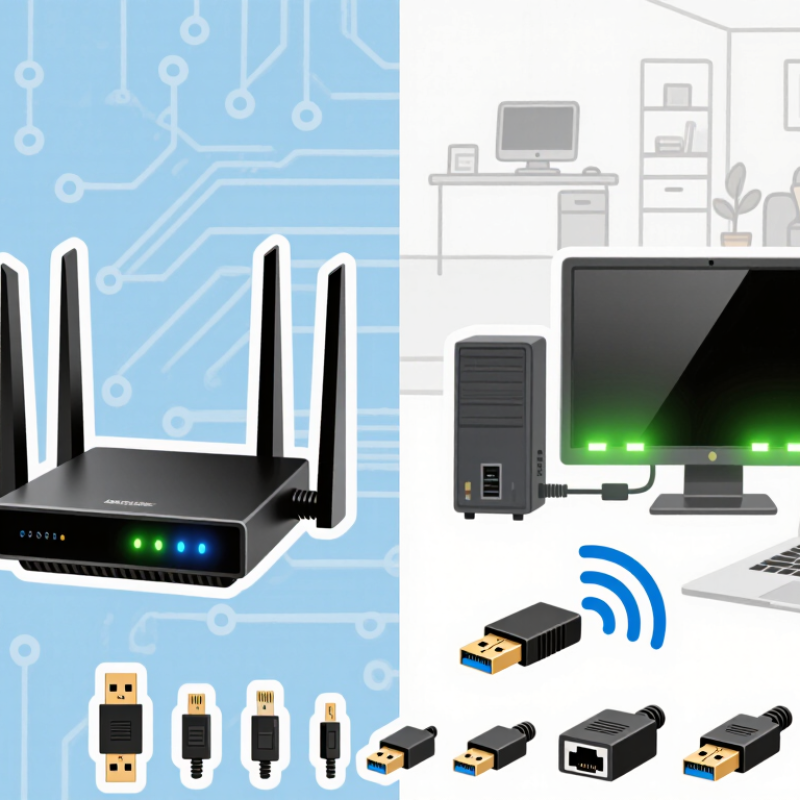
What Is a Router Adapter?
A router adapter is the component that helps a router connect, communicate, or receive power. The term is slightly confusing because it can describe two different devices. A power adapter converts household AC electricity into stable DC power for the router. A network adapter connects a computer, television, or smart device to the router through Wi-Fi or Ethernet.
Think of the adapter as a translator. A power adapter delivers the correct voltage, while a network adapter changes digital data into radio signals or electrical pulses. For example, when you open a webpage, the adapter carries request data to the router, which forwards it through your internet connection. Loose connectors, incorrect voltage, or damaged cables can interrupt this process. Small details matter.
The International Telecommunication Union reported that 5.4 billion people used the internet in 2023. That figure shows how many homes depend on stable access equipment. The Wi-Fi Alliance also explains that newer Wi-Fi generations improve efficiency in crowded networks, not only peak speed. Still, a faster adapter cannot repair weak coverage or overloaded service. This is easy to overlook. In practice, check the adapter’s output voltage, connector size, supported standards, and cable condition before replacing it. The wrong power specification may damage equipment. That risk deserves more attention than many setup guides suggest.
What Is a Router Adapter and How Does It Work?
A router adapter converts household AC electricity into the low-voltage DC power required by a router. Common adapter ratings include 5 V, 9 V, and 12 V outputs. Maximum power is calculated as voltage multiplied by current, although the router draws only the power it needs.
The adapter must match the router's required voltage, connector polarity, and plug size. Using the wrong voltage or polarity can prevent operation or damage the device.
The Main Components of a Router Adapter
A router adapter is usually an external power unit that converts household AC electricity into stable low-voltage DC power. Its main components work together inside a small plastic enclosure. The input plug carries electricity from the wall, while an internal switching circuit controls voltage conversion. This design is lighter than older transformer-based units. It also produces less heat during normal operation.
The rectifier changes incoming AC into pulsating DC. A filter capacitor then smooths the electrical waveform. A voltage regulator keeps the output steady when the router load changes. This matters when several devices connect at once. Protection circuits can limit damage from overcurrent, overheating, and short circuits. The output cable ends with a barrel connector or another matching plug. Polarity matters, and the center contact is often positive.
During practical checks, I compare the adapter label with the router’s required voltage, current, and polarity. A higher current rating is generally acceptable, but the voltage must match. A loose connector may cause random restarts, even when the adapter seems normal. Heat near the plug is a warning sign. A voltage reading without load can also mislead; the adapter may fail when the router draws power. I have overlooked cable wear before, so inspecting the insulation remains an important step.
How a Router Adapter Connects to a Network
A router adapter provides the connection between a router and another part of a network.
In many home setups, this connection uses an Ethernet cable. One end plugs into the modem or fiber terminal, and the other goes into the router’s WAN or Internet port. The adapter’s network interface converts data into signals the cable can carry, then receives incoming signals and passes the data to the router.
The link has to be configured correctly.
The router may receive an address automatically from the modem, or require connection details from an internet provider. A small status light near the port can show whether a cable link is active, but it does not prove that internet access is working. Check that the cable clicks firmly into place and that the correct port is in use. It is easy to overlook that detail.
Some adapters connect wirelessly instead, using Wi-Fi to join an existing network.
They can be useful where a cable is inconvenient, but walls and interference may weaken the signal. The exact setup depends on the adapter’s purpose: a router’s WAN connection is different from a computer’s Wi-Fi adapter. If the connection keeps dropping, test with a known-good cable or move the device closer before changing settings. Small steps help isolate the fault.
How Router Adapters Transmit and Receive Data
A router adapter connects a device to a local network. It may use an Ethernet cable or radio signals. Inside, it converts digital data into electrical or wireless signals. The router then directs those signals toward the correct destination.
When sending data, the adapter divides information into small packets. It adds addressing details, such as a device identifier and error-checking data. A wired adapter sends electrical pulses through the cable. A wireless adapter changes the data into radio waves. The router reads each frame, checks its destination, and forwards the packet across the network. This exchange happens many times each second.
When receiving data, the adapter listens for incoming signals. It converts them back into digital bits and checks whether they arrived correctly. Damaged data may be rejected and sent again. Wireless transmission is less predictable because walls, distance, and household interference can weaken the signal. Cable connections are usually steadier, but they can still suffer from loose plugs or poor wiring. Real networks are messier. An adapter may report a strong connection while applications remain slow. This can happen when the router is busy, the channel is crowded, or the receiving service responds slowly. Careful testing with cable checks, signal measurements, and packet-loss results gives a more reliable diagnosis than guessing from connection icons.
What Is a Router Adapter and How Does It Work? - How Router Adapters Transmit and Receive Data
| Stage or Feature |
Transmit: Sending Data |
Receive: Getting Data |
Typical Interface or Detail |
| Data connection |
Accepts data from the router’s forwarding system and prepares it for a network link. |
Accepts signals from a wired or wireless link and passes recovered data to the router. |
A router may use Ethernet adapters, Wi-Fi radio adapters, or both. |
| Ethernet adapter |
Encodes Ethernet frames as electrical or optical signals for the connected link. |
Detects incoming link signals and reconstructs Ethernet frames. |
Common Ethernet link rates include 100 Mb/s, 1 Gb/s, and 10 Gb/s, depending on the port and connected equipment. |
| Wi-Fi adapter |
Converts frames into radio transmissions using the configured Wi-Fi band and channel. |
Receives radio transmissions and recovers the transmitted frames. |
Wi-Fi uses radio bands such as 2.4 GHz, 5 GHz, and, with supported standards and equipment, 6 GHz. |
| Frame handling |
Adds link-layer information, such as source and destination hardware addresses, before transmission. |
Checks the received frame and its link-layer information before passing it onward. |
Ethernet and Wi-Fi use different link-layer frame formats. |
| Error checking |
Creates frame-checking information used to detect certain transmission errors. |
Checks frame integrity; damaged frames may be discarded and retransmitted when the link protocol supports it. |
Ethernet frames use a Frame Check Sequence; Wi-Fi also includes frame-integrity checks. |
| Addressing and forwarding |
Transmits frames on the selected interface after the router determines the outgoing path. |
Delivers incoming frames to the router for processing, including destination and protocol checks. |
IP routing decisions are made by the router’s networking system; the adapter handles the link connection. |
| Speed and performance |
Transmits at a rate supported by the adapter, link standard, and connection conditions. |
Receives at a rate affected by the same link capabilities and conditions. |
Actual throughput is usually lower than the advertised link rate and can be affected by congestion, distance, interference, and protocol overhead. |
Common Types and Uses of Router Adapters
Router adapters connect a woodworking router to accessories or tools that do not fit directly. They can change a collet size, link a dust hose, or attach a guide bushing. The adapter’s shape and measurements matter. A loose fit can cause vibration, poor dust collection, or an uneven cut. Check the router model, accessory diameter, and operating instructions before choosing one.
Collet adapters let a router accept bits with a different shank diameter, when the router maker permits that combination. Use them only within the tool’s stated limits, and seat the bit securely. Guide-bushing adapters help follow a template, such as when routing a curved sign.
Dust-port adapters connect the router to a shop vacuum, drawing chips away from the cutting area. Some base adapters also fit a router to a table or a plunge base. Handy, but not universal.
In practice, a dust adapter can reduce the layer of fine chips that gathers around a workpiece. Still, airflow depends on the hose and vacuum, not just the fitting. I’ve found that measuring twice saves a frustrating return trip; it sounds obvious, yet it is easy to skip. Inspect adapters for cracks and confirm they lock in place before powering the router. A small mismatch matters.