Leave Your Message
Choosing the best Portable Nas Storage in 2026 means balancing capacity, speed, protection, and true portability. A compact enclosure is only useful if it fits your actual workflow. Think about moving video projects between locations, backing up family photos on a trip, or sharing files with a small team. Each use demands different performance, battery options, and connection types.
The scale of data makes careful selection worthwhile. IDC’s Data Age 2025 forecast, published in 2018, projected global data creation would reach 175 zettabytes by 2025. That was a forecast, not a measured 2025 result. Seagate and IDC’s 2020 Rethink Data study also estimated that organizations left 68% of available data unused. These reports do not prove that every buyer needs a NAS. They do show why reliable access and sensible backup plans matter.
Gartner technology analyst Peter Sondergaard said, “Information is the oil of the 21st century, and analytics is the combustion engine.” His observation concerns data broadly, not portable NAS devices specifically. Still, it points to a practical question: can you reach and protect your files when you need them? This guide compares drive bays, transfer speeds, network access, encryption, backup features, noise, and power needs. Small details count. A fast device can disappoint if its mobile app is awkward or its backup setup is confusing. No single model suits everyone; even a higher capacity may be wasted if you rarely travel with your files.
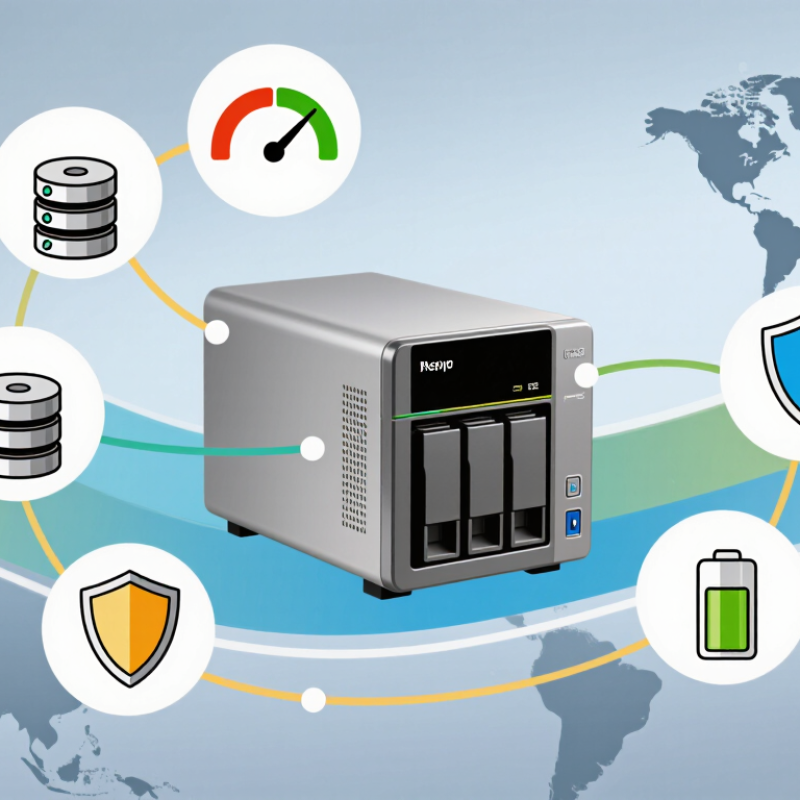
A portable NAS is a compact network-attached storage device that lets several devices access shared files. It may connect through Wi-Fi or Ethernet, but “portable” does not always mean battery-powered. Check its power needs, supported drives, and real transfer speeds before choosing one. A small unit can still feel slow when a crowded wireless network handles large video files.
Core features matter more than a sleek case. Look for user permissions, encryption, automatic backups, and clear recovery options. RAID can keep files available after some drive failures, but it is not a backup. That distinction matters. The 2020 Rethink Data study, based on 1,500 enterprise respondents, reported that organizations used only 32% of available data. It is an enterprise survey, not a forecast for home users, but it shows why accessible, well-organized files have practical value. For a photographer, that might mean finding a client folder from a laptop while the original files remain on the NAS. Read the security and update policy, too. A feature list can look impressive; everyday setup may be less tidy.
Use this comparison as a practical buying guide. Specifications are general reference points, not claims about a particular product; actual performance depends on drives, network equipment, workload, and power requirements.
| Core Feature | What to Look For | Practical Reference | Why It Matters for Portability |
|---|---|---|---|
| Drive Bays | Choose the number of bays based on capacity needs and whether drive redundancy is important. | One bay is compact but provides no drive-level redundancy. Two bays can support mirrored storage; RAID 1 provides roughly the capacity of one drive. | Fewer bays usually mean a smaller enclosure and lower power draw, while additional bays add capacity options and protection against a single drive failure. |
| Usable Capacity | Estimate the space required for files, backups, and future growth before choosing drive capacity. | Two 8 TB drives in a RAID 1 mirror provide about 8 TB before formatting and system overhead, not 16 TB. | Higher-capacity drives can reduce the need to carry or connect multiple storage devices. Keep a separate backup because RAID is not a backup. |
| Network Speed | Check Ethernet speed and confirm that your router, switch, or computer supports the same standard. | Gigabit Ethernet has a theoretical rate of 1 Gbit/s; 2.5 Gigabit Ethernet has a theoretical rate of 2.5 Gbit/s. Protocol overhead and drive speed reduce actual transfer rates. | Faster networking can shorten transfers, but it may require compatible adapters and network equipment when working away from home or an office. |
| Wireless Access | Determine whether wireless access is built in or requires a separate router or access point. | Wi-Fi performance varies with the wireless standard, signal strength, interference, and the connected device. | Wireless access can simplify sharing in temporary locations, but wired Ethernet is generally more consistent for large transfers. |
| Power Input | Check the required voltage, current, connector, and supported power-delivery standards. | Power needs vary by enclosure and installed drives. Do not assume that a USB-C port can power the NAS; verify the specified input and adapter requirements. | A compatible power source is essential for travel. A battery or power bank must support the NAS's required output and sufficient operating time. |
| Drive Type | Compare hard drives and solid-state drives for capacity, speed, noise, and shock tolerance. | Hard drives generally offer more capacity per drive; solid-state drives have no moving parts and can better tolerate movement, but typically cost more per terabyte. | For frequent travel, vibration protection and careful handling matter. Check that the enclosure supports the chosen drive size and interface. |
| Size and Weight | Consider the enclosure dimensions together with the drives, power adapter, and cables. | Published enclosure weight may exclude installed drives and accessories; compare complete carry weight where available. | The total kit determines how practical the NAS is to carry, especially when a separate power supply or network adapter is needed. |
| File Sharing and Apps | Look for support for common file-sharing protocols, user accounts, and the devices you use. | SMB is widely used for file sharing on local networks. Remote access may require additional setup and security measures. | Easy local access is useful on the road, while remote access should be protected with strong authentication and secure configuration. |
| Backup and Security | Check for scheduled backups, snapshots, encryption options, and software-update support. | RAID can help maintain access after a drive failure, but it does not protect against accidental deletion, theft, malware, or damage to the whole device. | Portable equipment is more exposed to loss and physical damage. Keep an additional backup in a separate location when possible. |
| Best-Fit Use | Match the setup to your main task rather than choosing solely by maximum capacity or network speed. | Single-user travel storage favors compactness; shared media or team files benefit from more capacity, user controls, and faster networking. | A balanced setup avoids carrying unnecessary drives, power equipment, or networking accessories. |