Best TrueNAS Servers for 2026?
Choosing the best TrueNAS server for 2026 starts with your workload, not a flashy processor. A reliable True Nas Server should protect important files, serve them quickly, and remain manageable as your storage needs grow. Home media libraries, creative projects, backups, and small business files all place different demands on a system.
This guide compares practical options, from compact prebuilt systems to flexible, self-built machines. It considers drive bays, memory capacity, network speed, power use, noise, and room for future expansion. ECC memory may be valuable for some users, but it is not the only factor that determines a sensible build. Check current TrueNAS hardware guidance and component compatibility before buying; product specifications and software requirements can change.
The details matter. A quiet four-bay system beside a desk may suit a household, while a rack server with faster networking may better fit a busy office. More capacity is not automatically better if the machine consumes too much power or lacks adequate cooling. No shortlist is perfect. Budget, local availability, and tolerance for maintenance can shift the recommendation, and those trade-offs are easy to overlook. Expect clear comparisons and realistic caveats, not a promise that one server fits everyone.
How TrueNAS Servers Work and What They Are Designed to Do
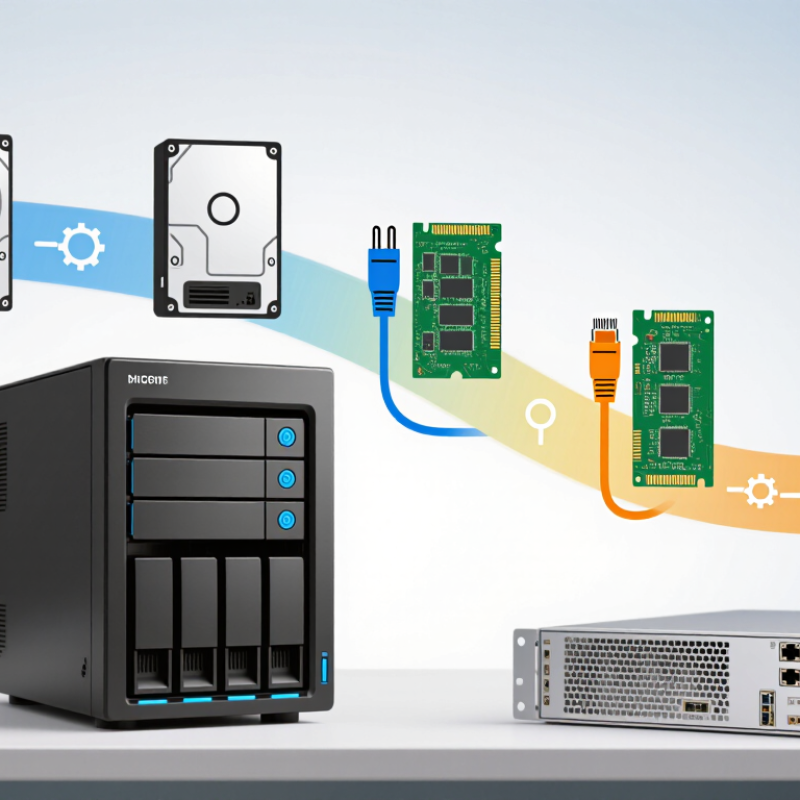
A network-attached storage server runs storage software that organizes disks and makes files available to computers on a local network. Its operating system manages storage pools, permissions, and shared folders. With a suitable file system, it can also create snapshots, which preserve earlier versions of files. Think of a shared project folder: one computer saves a file, and another can open it across the network. Quietly useful. These systems are designed for centralized storage, not automatically for every computing task. Their speed and reliability depend on drive layout, memory, network capacity, and careful setup.
Tips: Start with your real workload. A household photo archive has different needs from several people editing large files. Use redundancy to reduce downtime, but keep a separate backup; a failed disk is not the only risk. Test recovery before you need it.
Plan for maintenance, too. Check drive health, install updates thoughtfully, and monitor available space. A small server can sit beside a router, but it still needs airflow and a stable connection. More disks do not always mean better performance; the configuration matters. It is easy to overbuild, and I would question any plan that lacks a clear backup schedule. A sensible server makes files easier to manage while keeping its limits visible.
Which Hardware Requirements Matter for a TrueNAS Server in 2026
Best TrueNAS Servers for 2026?
Which Hardware Requirements Matter for a TrueNAS Server in 2026
Start with memory, not the processor’s headline speed. For a home file server, 16 GB of RAM is a sensible starting point; 32 GB offers more room for apps and multiple users. Choose ECC memory if the board and processor support it. It can detect certain memory errors, though it cannot prevent every failure. Avoid treating a fixed RAM-per-terabyte rule as universal. Workload matters.
Storage layout matters more than a large drive count. Use matched, NAS-suitable drives, and plan redundancy around how many disks you can afford to lose. Backblaze’s 2024 Drive Stats report recorded a 1.31% annualized failure rate across its tracked drive population. That is a fleet average, not a prediction for your disks. Still, it’s a reminder: redundancy is not backup. Keep a separate copy of important files.
Keep it practical. A modest multi-core CPU handles file sharing well; encryption, virtual machines, and media conversion need more. A 2.5-gigabit network connection can exceed the useful speed of a single hard drive, but only if the switch and client support it. Add a UPS, adequate cooling, and a compatible storage controller. Test drive temperatures and restore a sample backup before trusting the setup. I’d spend on reliable memory and backup capacity before chasing a top-end processor. That trade-off is easy to overlook.
Best TrueNAS Server Options for Home, Media, and Business Use
A good TrueNAS server starts with the work it must do, not the biggest spec sheet. For home use, a quiet tower with four drive bays can hold family photos, documents, and computer backups without taking over a room. Aim for memory suited to your file system and workload; 16 GB can be a practical starting point for a modest setup, not a universal rule. Leave room for growth. Drives fill faster than expected.
Media storage has different demands. Large video files need capacity, while smooth playback depends partly on whether your devices can play the chosen formats directly. If the server must convert video while streaming, its processor matters more. A wired network connection also helps when several people browse large libraries at once. Keep it simple. I would avoid paying for high-end processing before testing actual playback needs; that assumption is easy to get wrong.
For a small business, prioritize serviceability and predictable recovery. A rack server with error-correcting memory, replaceable components, and faster networking may be worthwhile when multiple staff rely on shared files. Redundant power supplies can reduce one failure risk, but they do not replace backups. Use snapshots and maintain a separate copy of important data. Test restoring a few files before trusting the system. It is less exciting than comparing drive speeds, but usually more useful. Check noise, power use, warranty terms, and expansion options before choosing a case.
Best TrueNAS Servers for 2026? - Best TrueNAS Server Options for Home, Media, and Business Use
| Server Type |
Best For |
Form Factor |
Suggested Memory |
Drive Bays |
Networking |
Key Considerations |
| Compact Home Server |
Backups, documents, and a small shared photo library |
Small tower or compact enclosure |
16–32 GB |
4–6 SATA bays |
1 GbE; 2.5 GbE is a useful upgrade |
Choose a system with reliable SATA connectivity and adequate cooling. ECC memory is a useful option when supported by the platform, but is not a universal requirement. |
| Media Library Server |
Large media libraries, multiple clients, and file sharing |
Mid-tower with room for added drives |
32–64 GB, depending on services and workload |
6–8 SATA bays |
2.5 GbE; 10 GbE for faster multi-client transfers |
Direct-play media streaming usually places more emphasis on storage and network capacity than CPU power. Transcoding can require substantially more CPU or supported hardware acceleration. |
| Expandable Prosumer Server |
Growing storage pools, virtual machines, and several applications |
Large tower or short-depth rack enclosure |
64–128 GB, based on concurrent services and virtual machines |
8–12 or more, with suitable controller capacity |
10 GbE is appropriate for demanding local transfers |
Check that the motherboard, drive controller, chassis, and power supply can support planned expansion. Avoid assuming that adding RAM alone will improve every workload. |
| Small Business File Server |
Shared team folders, scheduled backups, and dependable daily access |
Rackmount or business-class tower with serviceable components |
64 GB or more when workload and applications justify it |
8–16, sized for capacity, redundancy, and future growth |
10 GbE where supported by the network; otherwise 1 GbE or 2.5 GbE |
Prioritize monitored drive health, adequate cooling, tested backups, and a UPS. RAID or redundancy does not replace an independent backup. |
Memory and network figures are planning guidelines, not fixed requirements. Choose capacity and redundancy based on the workload, number of users, applications, and recovery needs.
How to Compare Storage Capacity, Performance, Reliability, and Cost
A TrueNAS server should be sized around real workloads, not a headline drive count. IDC’s Global DataSphere forecast projects 394 zettabytes of data by 2028, but that global figure is not a home or office sizing target. Estimate usable capacity after redundancy, snapshots, and growth. For example, eight 12 TB drives in a fault-tolerant pool will provide less usable space than their 96 TB raw total. Leave room for expansion.
Performance depends on more than drive speed. A 4K video stream, a folder of tiny files, and several virtual machines stress storage differently. Check the network link, memory, and processor alongside read and write results. Test with your own workload when possible. Synthetic benchmarks can mislead. I still tend to overvalue peak transfer rates; everyday delays often come from mixed, small-file access.
Reliability deserves a concrete budget. Uptime Institute’s 2024 Annual Outage Analysis reported that 54% of respondents said their most recent significant outage cost more than $100,000. That is not a NAS-specific statistic, but it shows why recovery planning matters. Compare drive replacement costs, backup capacity, power use, and the time needed to restore data. A second copy on the same server is not an independent backup. Keep the trade-offs visible: extra redundancy raises cost, and it does not prevent every failure.
How to Choose and Configure a TrueNAS Server for Your Needs
Choose a server around the work it must do: shared files, backups, or virtual machines. For a small household, four drives and a quiet, efficient processor may be enough. For office use, prioritize memory capacity, room for drive expansion, and two network connections. Keep the operating system on separate boot drives. It is a small detail, but it makes maintenance easier.
IDC’s 2020 Rethink Data report found that organizations used only 32% of the data available to them. That gap makes planning important: estimate current storage, then allow room for growth and snapshots. Use matched drives where practical, and select a ZFS layout based on usable capacity and fault tolerance. More redundancy is not a backup. Keep a separate copy, ideally on another device, and test a restore before trusting it.
Uptime Institute’s 2024 Annual Outage Analysis reported that 54% of respondents describing their most recent significant outage put its cost above $100,000. Home storage differs from a data center, of course, but downtime still has a price. Configure alerts for failed drives, pool capacity, and temperature. Check airflow with the case closed, then run a full-drive test. I would avoid buying maximum hardware on day one; requirements often change, and forecasts are imperfect. Start modestly. Revisit the plan after real usage data arrives.
Best TrueNAS Servers for 2026: Choosing Capacity
Estimated capacity for RAIDZ2 configurations using 12 TB drives
RAIDZ2 uses the equivalent capacity of two drives for parity. The estimates shown are the drive count minus two, multiplied by 12 TB. They use decimal drive capacity and exclude filesystem overhead, formatting, and reserved free space, so actual available storage will be lower.