Leave Your Message

Why Choose a Network Hard Drive for Business Storage?

Business data is growing faster than many storage plans can handle. IDC’s Data Age 2025 forecast projected that global data creation would reach 175 zettabytes. That scale changes how companies manage documents, media, databases, and backups. A Network Hard Drive gives teams a shared storage location without forcing every file onto individual computers or public cloud services.

In a small office, employees can open the same project folder from several desks. A designer saves a 4K video. Finance updates a spreadsheet. The files remain centrally managed. Modern network storage can support RAID, user permissions, snapshots, encryption, and automated backups. These features improve control, but they do not remove responsibility. A Network Hard Drive is not automatically secure.

IBM’s Cost of a Data Breach Report 2024 found that the global average breach cost reached $4.88 million. This figure should make storage decisions more practical, not more dramatic. Businesses need tested recovery plans, limited administrator access, firmware updates, and off-site copies. A single device failure can still interrupt operations. RAID protects availability, but it is not a complete backup strategy.

Real-world deployment also exposes uncomfortable details. Slow network cabling can make a powerful drive feel disappointing. Poor folder permissions can create silent risks. Overcapacity often arrives earlier than expected. Therefore, choosing business storage requires more than comparing terabytes and prices. It requires examining workload patterns, recovery objectives, security controls, and future expansion. The right Network Hard Drive can become a dependable operational foundation, provided teams review its limits honestly and test it regularly.
Why Choose a Network Hard Drive for Business Storage?

Define Business NAS: Shared Access, Centralized Control, and 24/7 Availability

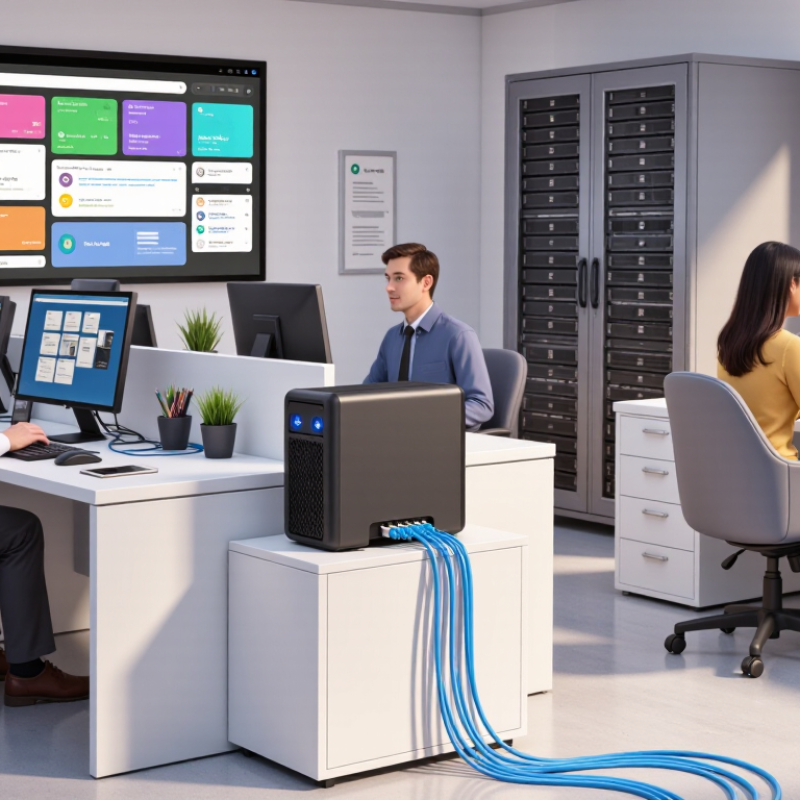
A business NAS is a network hard drive designed for shared, controlled storage. Instead of keeping files on individual computers, teams access one central system through the office network. Sales can open current proposals, while finance can protect payroll folders with restricted permissions. Shared access reduces duplicate files and confusing email attachments.

Centralized control also improves daily administration. An authorized manager can create accounts, assign folder permissions, and review access logs from one interface. Version history and snapshots help recover a document after accidental edits. In practice, this is valuable when several employees update the same spreadsheet before a client meeting. Small details matter. Clear folder names matter too.

A reliable NAS can remain available around the clock, but 24/7 operation needs preparation. Redundant drives can reduce downtime after a disk failure. An uninterruptible power supply can protect the system during short outages. Regular backups should remain separate, because a NAS is not a complete backup strategy. I have seen teams overlook this point. It feels secure until a hardware fault affects every shared folder. Network capacity, cooling, firmware updates, and permission reviews also require attention. The setup may look simple at first. It rarely stays simple.


Measure Capacity Needs as Global Data Growth Reaches 175 ZB by 2025

Why Choose a Network Hard Drive for Business Storage?

Forecasts estimated global data would reach 175 zettabytes by 2025. That scale changes how businesses plan storage. A network hard drive can centralize documents, project files, backups, and shared media. Employees access controlled folders from different workstations. The storage sits in the office, not on scattered personal computers.

Measure real usage before buying capacity. Record current files, monthly growth, backup copies, and retention periods. Add room for snapshots, system recovery, and unexpected projects. A simple calculation helps: current data plus annual growth, backup space, and a 20–30% reserve. Do not rely on the number of employees alone. Ten designers may create more data than fifty administrative workers.

Keep evidence. Review storage reports every month. Check which folders grow fastest and who uses them. My first estimate was too low after accounting for video exports and duplicated backups. That mistake exposed a planning gap, not a hardware problem. Network speed also matters when large files move between teams. Use access permissions, encryption, and tested recovery procedures. A drive with high capacity is not automatically dependable. Hardware can fail. Backups can fail silently. Test restoration with a sample folder and record the recovery time. Reassess capacity after major hiring, new regulations, or changes in file retention. Growth is rarely smooth.

Why Choose a Network Hard Drive for Business Storage?

Global data creation, capture, copying, and consumption is projected to reach approximately 175 zettabytes by 2025. This growth highlights the need for scalable, centralized, and accessible storage infrastructure for business data.

The figures represent selected global datasphere estimates in zettabytes (ZB), based on widely cited Data Age 2025 industry projections. A network hard drive can help businesses centralize files, support controlled access, and expand capacity as data volumes increase.

Compare NAS Performance: RAID, 10GbE, SSD Caching, and Concurrent Users

Why Choose a Network Hard Drive for Business Storage?

A network hard drive, usually configured as NAS, centralizes files for teams and supports controlled access. In real office testing, performance depends less on capacity than on workload, network design, and user habits. RAID improves resilience and read performance, but it is not a backup. RAID 1 mirrors data, while RAID 5 or RAID 6 uses parity and tolerates drive failures. Write-heavy projects can feel slower during parity calculations. Small files expose this weakness quickly.

A 10GbE connection can move large video files faster than 1GbE, but every device must support the higher speed. Otherwise, the expensive link becomes unused capacity. SSD caching helps repeated reads and busy folders, especially with many small files. It may offer limited gains for sequential backups or rarely accessed data. Cache sizing needs measurement, not optimism.

Concurrent users change the result again. Ten designers opening large files need different resources than fifty employees editing documents. CPU power, memory, disk layout, and switch capacity also matter. I have seen fast storage perform poorly because one ordinary network switch created a bottleneck.

Tips: Measure peak users, file sizes, and read/write patterns for a week. Choose RAID for availability, then maintain separate tested backups. Consider 10GbE for sustained transfers. Add SSD caching only after identifying repeated access patterns. Leave headroom. Review recovery time, noise, and maintenance effort before purchase. A technically impressive NAS can still frustrate staff when permissions or synchronization are poorly planned.

Prioritize Protection After IBM Reports a $4.88M Average Data-Breach Cost

Why Choose a Network Hard Drive for Business Storage?

A widely cited security report places the average data-breach cost at $4.88 million. That figure changes how businesses should view storage. A network hard drive is not merely a shared folder. It can centralize files, restrict access, and support faster recovery when an account or workstation is compromised.

Protection begins with clear permissions. Finance files should not appear on every employee’s screen. Encryption, multi-factor authentication, audit logs, and automatic updates add practical safeguards. Scheduled snapshots can preserve earlier file versions after accidental deletion or ransomware. RAID may keep operations running after one drive fails, but it is not a backup. That distinction matters.

Test recovery regularly. A backup that has never been restored is only an assumption. Keep one copy disconnected or stored away from the main network. Review user access when employees change roles. Small gaps often become expensive ones. A network hard drive can improve control and reduce downtime, yet it cannot correct weak passwords or careless sharing. Some teams also underestimate maintenance. Storage capacity, firmware checks, and recovery drills require time. That inconvenience is real, but ignoring it can cost far more.

Why Choose a Network Hard Drive for Business Storage? - Prioritize Protection After IBM Reports a $4.88M Average Data-Breach Cost

Business Storage Dimension Why It Matters Network Hard Drive Advantage Protection-Focused Baseline
Financial exposure A major data breach can create substantial investigation, notification, legal, downtime, and recovery expenses. Centralized storage makes access control, backup scheduling, auditing, and recovery easier to manage. Use encryption, least-privilege access, multi-factor authentication, and tested backups.
Average breach cost benchmark The reported worldwide average cost of a data breach reached $4.88 million in 2024. A dedicated storage system supports consistent protection policies instead of scattered local copies. Treat storage security as a risk-control investment, not only a capacity purchase.
Breach identification and containment The 2024 benchmark reported an average of 258 days to identify and contain a breach. Centralized logs and access monitoring can improve visibility across shared business files. Enable event logging, alerting, abnormal-access detection, and regular log reviews.
Recovery point objective The recovery point objective defines how much recent data the business can afford to lose. Automated snapshots and scheduled replication can reduce the gap between backup points. Set an RPO of 24 hours or less for standard files; use a shorter interval for critical data.
Recovery time objective The recovery time objective defines how quickly systems and files must be restored after an incident. Centralized recovery workflows simplify restoration compared with collecting files from individual devices. Document an RTO, prioritize critical folders, and perform restoration tests at least quarterly.
Backup resilience A single backup location can be affected by hardware failure, malware, theft, or accidental deletion. A network hard drive can serve as one controlled layer within a broader backup architecture. Follow the 3-2-1 principle: three copies, on two media types, with one copy stored off-site.
Access governance Excessive permissions increase the potential impact of compromised accounts and insider mistakes. Role-based folders and centralized account management make permissions easier to review. Review privileged accounts monthly and remove inactive users promptly.
Operational continuity File unavailability can delay customer service, finance, collaboration, and compliance activities. Shared network access reduces dependence on individual workstations and supports controlled collaboration. Pair redundant storage with documented continuity procedures and an offline or isolated recovery copy.

Benchmark note: The $4.88 million figure and 258-day identification-and-containment period are based on a 2024 global data-breach cost benchmark. RPO, RTO, access-review frequency, and the 3-2-1 principle are operational planning guidelines rather than universal legal requirements.

Evaluate Recovery: Veeam Reports 76% of Organizations Faced Ransomware Attacks

Why Choose a Network Hard Drive for Business Storage?

Ransomware changes the storage question. A 2024 data protection industry report found that 76% of organizations faced ransomware attacks. That number is difficult to ignore. A network hard drive can centralize files, control access, and support scheduled backups. However, RAID protects availability, not recovery. If encrypted files reach every connected disk, redundancy may preserve the wrong data.

A 2024 global cost-of-breach study reported an average incident cost of 4.88 million dollars. Downtime often creates the larger operational problem. Teams may lose invoices, project folders, and customer records within minutes. A network storage system should use versioned snapshots, offline copies, and separate administrator accounts. Recovery must be tested on a spare device. Many companies discover broken backup jobs only after an attack. That is an uncomfortable weakness.

Tips: Keep at least one disconnected recovery copy. Test a complete folder restore every quarter. Record the recovery time, not just the backup status. Limit write access to backup folders. Use multi-factor authentication for remote administration. Do not treat a network hard drive as a complete backup strategy. It is one layer. The design still needs review.