Leave Your Message
As enterprise data grows, the Network Storage Rack has become a practical infrastructure decision, not a simple steel enclosure. IDC’s Worldwide Quarterly Enterprise Infrastructure Tracker continues to show strong demand for enterprise infrastructure, driven by cloud services, AI workloads, and hybrid environments. These systems need stable mounting, controlled airflow, reliable power distribution, and room for future expansion.
Industry evidence also highlights operational risk. The Uptime Institute Global Data Center Survey reports that power, cooling, and human error remain major causes of data center disruption. A suitable rack can reduce several of these risks. A 42U, 19-inch four-post rack may support deep storage arrays and redundant switches. A two-post rack can save floor space, but it may not safely carry heavy disk systems. Wall-mounted cabinets suit branch offices, although limited depth can restrict ventilation and cable movement.
The main types in 2026 include open-frame racks, enclosed server cabinets, network cabinets, wall-mounted racks, and rolling storage racks. Each design serves a different physical and operational context. Synergy Research Group’s data center market reporting shows continued investment in distributed and cloud-connected infrastructure, making flexibility increasingly important. Still, more capacity does not always mean better design. That assumption can fail.
A useful selection process should examine rack depth, static load rating, cable pathways, door clearance, noise, airflow direction, and service access. Small details matter. One blocked rear cable manager can turn routine maintenance into a risky task. This guide compares the leading Network Storage Rack types for 2026, using technical criteria, industry evidence, and practical installation experience. No rack is perfect. The right choice depends on equipment density, site limits, and the next upgrade cycle.
What Are the Top Network Storage Rack Types in 2026?
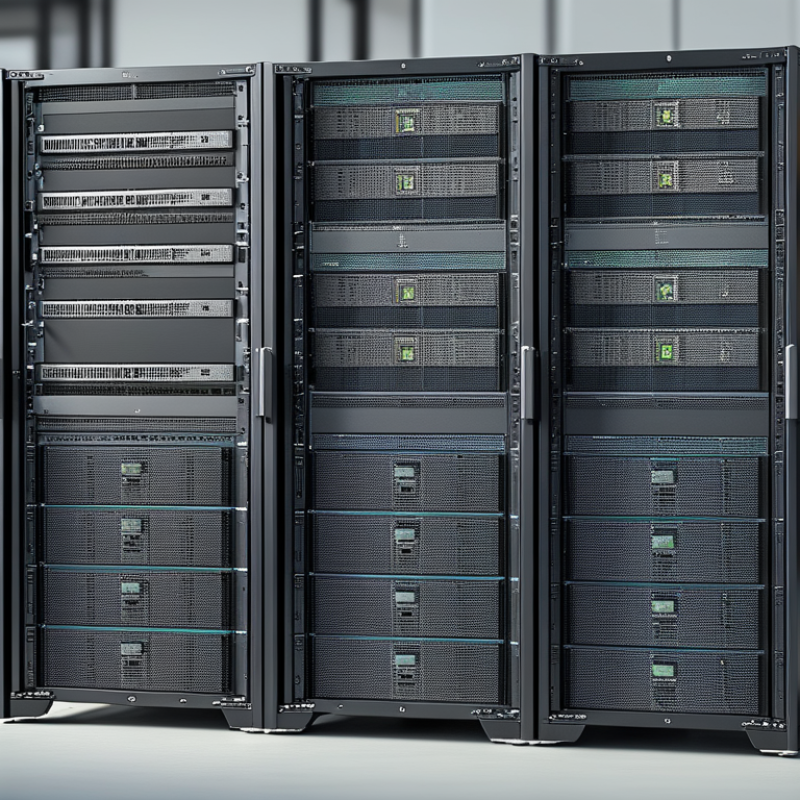
Network storage racks support servers, switches, patch panels, power units, and cooling paths. Their role is practical: they keep data equipment organized, accessible, and protected. Open-frame racks suit low-density rooms with controlled access. Enclosed cabinets provide better security, airflow control, and cable protection. Wall-mount racks fit small offices and edge locations. High-density cabinets support heavier storage systems, but they demand stronger floors and better cooling.
This choice matters as data workloads expand. The International Energy Agency’s Electricity 2025 report estimates that data centers used about 415 terawatt-hours globally in 2024. It projects nearly 945 terawatt-hours by 2030. Rack design now affects energy planning, not only equipment placement. Uptime Institute’s 2024 Global Data Center Survey found that more than half of respondents experienced an outage during the previous three years. Poor airflow, overloaded power paths, and difficult maintenance can increase operational risk. A taller cabinet is not always the smarter cabinet. That point deserves more attention.
Tips: Measure cabinet depth, usable height, rail spacing, and floor loading before purchase. Leave front and rear clearance for service work. Separate power and data cables where practical. Check airflow direction against the room’s cooling layout. Also, record every connection. Small labeling gaps become expensive during an incident. Rack standards help, but they do not replace a site survey.
| Rack Type | Typical Height | Typical Width / Depth | Common Storage Equipment | Typical Capacity Range | Airflow and Power Characteristics | Best-Fit Deployment | Primary Advantages | Key Considerations |
|---|---|---|---|---|---|---|---|---|
| Open-Frame 2-Post Rack | 24U–45U | 19 in mounting width; approximately 3–6 in usable depth | Network switches, patch panels, cable managers, lightweight storage appliances | Usually 1–6 rack-mount devices, depending on equipment depth and weight | Passive airflow; very low rack-level power overhead; no built-in cooling | Network distribution rooms, telecom rooms, and low-density edge locations | Low cost, easy front and rear access, excellent cable visibility, and simple installation | Limited physical protection; unsuitable for heavy, deep, or high-density storage systems |
| Open-Frame 4-Post Rack | 24U–45U | 19 in mounting width; approximately 24–32 in adjustable depth | Rack servers, disk shelves, storage arrays, switches, and power distribution units | Commonly 10–24 rack-mount devices, based on unit height and equipment depth | Passive airflow with unrestricted front and rear access; power depends on installed equipment | Server rooms and data centers where security and environmental containment are not primary requirements | Supports deeper and heavier equipment while maintaining easy service access | Provides little protection from dust, accidental contact, or unauthorized access |
| Enclosed Server Rack Cabinet | 24U–48U | 19 in mounting width; approximately 30–48 in depth | NAS systems, storage servers, disk enclosures, switches, UPS units, and cable infrastructure | Approximately 12–30 rack-mount devices, depending on equipment height and power density | Front-to-rear airflow; lockable doors; supports blanking panels, fans, and structured cable management | Enterprise server rooms, colocation areas, and general-purpose data-center rows | Improves security, airflow direction, cable organization, and equipment protection | Requires adequate room ventilation and careful matching of cabinet depth to installed equipment |
| High-Density Storage Rack | 42U–52U | 19 in mounting width; approximately 42–48 in depth | Dense disk shelves, all-flash arrays, storage servers, redundant power systems, and high-speed fabrics | Often 20–40 storage or compute devices, depending on device height, drive count, and thermal limits | Higher heat output; requires controlled cold-aisle airflow, adequate circuit capacity, and power distribution | Primary data centers, virtualization clusters, analytics platforms, and large-scale file or block storage | Maximizes usable rack space and supports high storage density in a compact footprint | Thermal load, floor loading, cable weight, power redundancy, and service clearance must be validated |
| Seismic-Rated Rack | 24U–48U | 19 in mounting width; depth selected according to equipment and anchoring requirements | Storage arrays, servers, network devices, UPS systems, and critical infrastructure equipment | Comparable to an enclosed rack of the same size, subject to structural and anchoring limits | Reinforced frame, secure equipment mounting, and floor anchoring; cooling remains air-based unless otherwise specified | Regions with seismic requirements, hospitals, public infrastructure, and mission-critical facilities | Improves equipment stability and supports compliance with applicable installation requirements | Higher weight and cost; the building floor, anchors, and equipment rails must be assessed together |
| Edge and Micro-Data-Center Rack | 12U–42U | 19 in mounting width; approximately 24–36 in depth | Compact NAS units, rugged servers, switches, UPS systems, and local backup appliances | Typically 4–18 rack-mount devices, depending on rack height and equipment size | Designed for limited-space environments; may include fans, filters, sensors, and environmental monitoring | Retail sites, branch offices, manufacturing floors, remote facilities, and distributed IT locations | Compact footprint, simplified remote deployment, and support for localized data processing | Noise, dust, temperature variation, physical security, and limited power availability require planning |
| Wall-Mount Network and Storage Cabinet | 6U–18U | 19 in mounting width; approximately 12–24 in depth | Small NAS devices, switches, patch panels, routers, and compact backup equipment | Usually 2–10 rack-mount devices, depending on unit height and wall-load capacity | Natural or fan-assisted airflow; lower power density than floor-standing cabinets | Small offices, security rooms, retail locations, and compact communications closets | Saves floor space, protects equipment, and keeps small installations organized | Limited depth, weight, heat dissipation, and expansion capacity; structural mounting is essential |
| High-Performance Computing and AI Storage Rack | 42U–52U | 19 in mounting width; approximately 42–48 in depth | Parallel storage systems, high-speed networking, GPU servers, flash arrays, and large-scale data pipelines | Varies widely; commonly 10–30 high-power systems because of thermal and electrical limits | May require enhanced air cooling, rear-door heat exchangers, or liquid-cooling infrastructure | AI training, scientific computing, simulation, media processing, and high-throughput analytics | Supports high bandwidth, low latency, and rapid access to large shared data sets | Cooling distribution, power density, network topology, cable management, and floor capacity are critical |