
China’s server market includes established manufacturers, specialist infrastructure firms, and suppliers with different levels of public product information. For buyers comparing Server Blades, a familiar logo is not enough. The chassis, management software, supported processors, and service arrangements all shape the real value of a system.
John Gage, a computer scientist and former Sun Microsystems executive, is widely associated with the phrase, “The network is the computer.” That idea matters here. Blade servers concentrate compute resources, but their performance depends on more than the blade itself. Network bandwidth, cooling capacity, power delivery, and management tools can determine whether a dense rack works smoothly. Small details matter.
This overview examines notable suppliers in China, including Inspur, H3C, Lenovo, Huawei, and other relevant manufacturers. It considers product range, deployment experience, technical support, and the clarity of available specifications. These factors are more useful than a simple ranking. A supplier may offer strong hardware yet provide limited public detail about a particular configuration. That deserves a closer look.
The comparison is not a substitute for checking current datasheets, service terms, or compatibility with existing infrastructure. Product lines change. Regional support can vary. Some claims are difficult to compare directly, and that is worth admitting rather than smoothing over. The goal is to help readers identify credible options and ask sharper questions before choosing Server Blades for a data center.

A rack unit, or U, measures 44.45 mm in height. This standard helps planners estimate how much vertical space equipment will use. A blade server chassis may occupy several rack units, even though individual server blades are slim modules. The chassis holds shared components, such as power supplies, cooling fans, and management connections. That shared design can save space and simplify servicing. It also concentrates heat. Airflow paths and fan capacity deserve close attention, especially in densely populated racks.
The measurement alone does not confirm a good fit. Buyers should check chassis depth, rail compatibility, cable clearance, and the rack’s available power. A small mismatch can make installation awkward.
Not always obvious.
Modular designs also vary in how blades connect to shared power and networking, so those interfaces need careful review. Ask suppliers for dimensional drawings, power figures, and clear service instructions. A neat specification sheet can still hide awkward cable access. I would not treat a compact layout as automatically efficient; maintenance access and cooling can be less tidy in practice.
That deserves a second look.
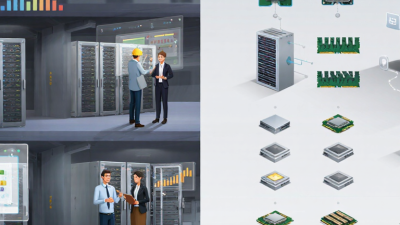
China’s server-blade market includes five prominent domestic suppliers, each serving different infrastructure needs. Their offerings may vary in processor options, memory capacity, management tools, and support coverage. Compare the exact configurations, not just product-family descriptions. A blade chassis can look compact in a catalog, yet require careful planning for power, cooling, and rack space. Small details matter.
For a practical review, ask each supplier for a current configuration sheet, warranty terms, and a written support scope. Check compatibility with existing networks and management systems, then confirm delivery and replacement-part timelines. These details can affect operating costs as much as the purchase price.
A comparison spreadsheet helps, but it can make uncertain assumptions look precise. Be cautious. Request a demonstration using workloads similar to your own, and verify performance claims against documented test conditions.
Also consider how easily your team can maintain the system. The best fit is not always the most powerful one; sometimes, a familiar management workflow saves more time than an extra feature.
Supplier Profiles: Blade Platforms, Management Tools, and Support
A useful supplier profile goes beyond processor counts. It should explain chassis capacity, power limits, cooling design, and upgrade paths. IDC reported worldwide server revenue of $77.3 billion in the fourth quarter of 2024, up 91.3% year over year. This market data signals strong demand, but it does not prove that one blade platform fits every workload. Check whether a supplier can show tested configurations and clear thermal limits. Ask to see how its chassis handles a failed fan or power module. Small details matter.
Management tools deserve equal attention. Look for one console that tracks node health, firmware versions, power use, and hardware alerts. Confirm that it supports role-based access and exports usable logs. For support, compare response targets, local spare-parts coverage, and escalation procedures. A polished dashboard is not enough. Test common tasks during evaluation, such as identifying a faulty node and scheduling a firmware update. Documentation can be uneven; verify it before deployment.
Tip: Request a live demonstration using your own monitoring and deployment workflows. Record how long routine tasks take, and note any manual steps. Then compare those results with the supplier’s written support commitments.
The profiles below describe supplier categories, not named companies or a verified market ranking. Product configurations, management features, and service coverage vary by model and contract.
| Supplier Profile | Blade Platform | Management Tools | Support Model | Key Evaluation Checks |
|---|---|---|---|---|
| Integrated server manufacturers | Typically offer a matched chassis-and-blade platform. Depending on the model, a shared chassis may provide power, cooling, and networking resources for multiple server modules. | May provide a centralized interface for inventory, health monitoring, alerts, firmware updates, and remote control. Check whether the tool manages the complete chassis or only individual servers. | Service may include hardware warranty, replacement parts, and technical assistance; response times and onsite coverage depend on the purchased service agreement. | Confirm supported blade generations, chassis capacity, power and cooling requirements, network options, warranty terms, and firmware lifecycle. |
| Platform design and manufacturing suppliers | May supply chassis, server modules, or platform designs for sale through other organizations. The final system configuration and product name can depend on the seller. | Management capabilities may be provided by the platform maker, the reseller, or a third-party software layer. Ask which party owns updates and technical escalation. | Support responsibilities can be split among the manufacturer, distributor, and system integrator. | Request a clear bill of materials, component sourcing details, firmware update process, compatibility list, and written warranty responsibility. |
| Regional system integrators | Usually configure complete solutions around selected server and chassis platforms, adding installation, networking, storage, or deployment services as required. | Can integrate hardware management with existing monitoring and service workflows. Verify interoperability and the boundary between hardware and software support. | Local installation and maintenance may be available under a project or service-level agreement; geographic coverage and response targets vary. | Check the integrator’s relevant deployment experience, escalation path, spare-parts plan, documentation, and responsibility for system-level troubleshooting. |
| High-density compute specialists | Focus on compact, multi-node or high-density configurations. Such systems can require careful rack, airflow, power, and workload planning. | Look for node-level health reporting as well as chassis-level monitoring, with documented alerts and remote maintenance functions. | Support is commonly tied to the specific platform and deployment; confirm availability of replacement modules and engineering assistance. | Validate performance for the intended workload, rack power budget, cooling capacity, network bandwidth, and serviceability of individual nodes. |
| Resellers and distribution-led suppliers | May source and configure blade systems from multiple platform providers. Available configurations can depend on distribution channels and project requirements. | Management software and licenses may be quoted separately. Confirm license scope, supported versions, and who provides updates. | Warranty may be handled by the manufacturer, distributor, or reseller; the contract should identify the service contact and escalation route. | Verify product provenance, delivery lead time, configuration consistency, parts availability, license terms, and the exact party responsible for support. |
Blade systems place compute, memory, and networking in shared chassis, increasing compute density within a rack. That matters. In space-constrained facilities, fewer enclosures can simplify cabling and management. But compare useful performance per kilowatt, not blade count. Processor choice, memory capacity, network fabric, and redundant power supplies all affect real-world results.
Power and cooling set the practical ceiling. The IEA’s Electricity 2024 report estimates data centers used about 460 TWh globally in 2022, with demand potentially reaching 620–1,050 TWh by 2026. ASHRAE TC 9.9’s 2021 Thermal Guidelines recommend 18–27°C inlet temperatures for common air-cooled equipment classes.
Dense chassis can still create hot spots when airflow paths or containment are poorly designed. Not always. When assessing suppliers in China, request workload-based power measurements, inlet-temperature readings, and documented expansion limits. Check whether power and cooling modules can scale with added blades. One caveat: test conditions differ, so supplier benchmarks may not be directly comparable.
A strong server blade supplier should match the workload, not just the stated processor count. For virtualization, memory capacity and expansion options may matter more than peak CPU speed. Database workloads can place greater demands on storage access and memory latency. Ask for a configuration based on your application’s expected usage, including busy periods. Fit is specific.
Compatibility checks should cover the chassis, firmware, network adapters, storage interfaces, and management tools already in use. Confirm supported blade generations and whether replacement parts will remain available. Request a written configuration list, not only a quotation with broad specifications. Small details matter. A network adapter that needs a separate module, for example, can change both the installation plan and final cost.
Service quality is visible in practical details: response hours, repair procedures, spare-part locations, and escalation contacts. Ask how failed components are handled and whether support covers the complete system or only individual parts. Compare total cost over the expected service life, including power, cooling, licensing, maintenance, and migration work. It is easy to focus on the purchase price; that estimate can be wrong. Keep assumptions explicit, especially when projected workloads or support needs may change.
Evaluate suppliers by workload fit, compatibility, service, and total cost
Suggested evaluation framework: workload fit receives the largest weight, followed by compatibility and service; total cost includes more than the purchase price. These percentages are planning weights, not measured supplier rankings or market-share data. Adjust them to match your requirements.