10 Best Network Hard Drives for Business Buyers?
Choosing the right Network Hard Drive can shape daily business performance, data access, and recovery readiness. A busy design studio may need fast shared storage for large video files. A small office may prioritize simple setup, low power use, and dependable remote access. These needs rarely fit one product.
This guide reviews ten network hard drives for business buyers. We examine storage capacity, transfer performance, RAID support, security controls, backup options, compatibility, warranty coverage, and vendor support. We also consider practical details, such as fan noise beside a reception desk, setup time during a workday, and expansion costs after two years. Specifications matter. Real workloads matter more.
No single model is best for every company. That is worth stating clearly. A device with excellent benchmark results may feel slow when poorly configured. A cheaper enclosure may also create higher support costs later. Our evaluation approach combines manufacturer information, business storage principles, and practical purchasing considerations. It also recognizes uncertainty, because firmware updates, workloads, and service policies can change.
Look beyond capacity.
Reliable storage needs more than a large number on a product page. Buyers should assess user permissions, encryption, backup testing, drive replacement procedures, and recovery planning. Network performance depends on switches, cabling, client devices, and network traffic. The strongest choice is usually the one that fits the business today while leaving room for controlled growth. This comparison aims to make that decision clearer, not pretend it is effortless.
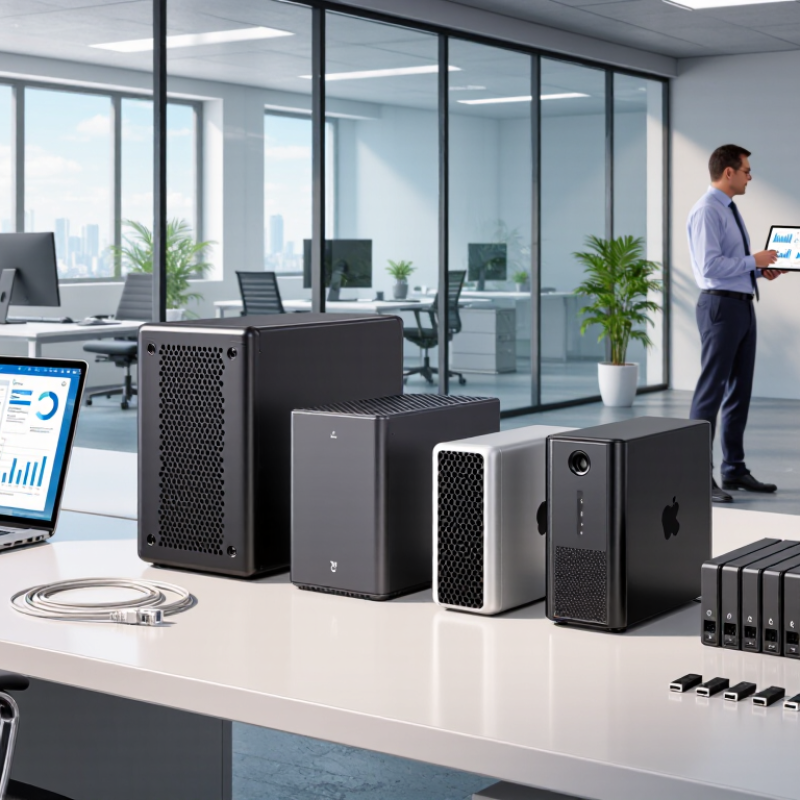
What a Business Network Hard Drive Is and How It Works
A business network hard drive is shared storage connected to an office network, not a disk plugged into one computer. Employees access files through protocols such as SMB or NFS. A browser-based console manages users, folders, permissions, and storage health. In a real office, a designer might open a 2GB project file from a workstation while finance reviews a spreadsheet from another desk. The device serves both requests through the network.
Many units use multiple disks in a redundant array. This can keep files available after one disk fails, but RAID is not a backup. Snapshots can restore an earlier file version after accidental deletion. Off-site copies protect against fire, theft, and serious ransomware incidents. Encryption should protect data during transfer and while stored. The 2024 Data Breach Investigations Report found that human involvement appeared in 68% of breaches. Shared folders therefore need least-privilege access and multi-factor authentication.
Capacity planning also deserves care. Usable space is lower than the advertised raw capacity. A five-disk array may lose space to redundancy, formatting, and snapshots. The 2024 Cost of a Data Breach Report placed the average breach cost at 4.88 million dollars. That figure is not a storage-device price tag, but it shows why weak access controls can become expensive. Some teams still treat network storage as “set and forget.” That assumption needs challenging.
Key Features to Compare in Business Network Storage
When comparing the ten best network hard drives for business, start with workload, not capacity. A finance share needs fast random access, while video archives need sustained throughput. Choose dual network ports, 10GbE support, and expandable drive bays when growth is uncertain. Test real transfer speeds with encrypted files, not only published benchmarks. A 2024 Annual Outage Analysis found that 54% of reported incidents cost more than $100,000. That figure makes redundancy a financial control, not a luxury. RAID protects availability, but it is not a backup.
Compare snapshot support, off-site replication, and recovery speed under pressure. Role-based access, multi-factor authentication, encryption, and audit logs should be standard. The 2024 Cost of a Data Breach Report estimated the global average breach cost at $4.88 million. Storage security deserves board-level attention. Check drive replacement procedures, firmware support, service-level agreements, and power protection. I would also demand a recovery drill using a realistic folder, not an empty test file. A perfect specification rarely exists. Many teams still overbuy capacity and underfund recovery. Choose measured performance, clear administration, and a recovery plan staff can actually follow.
How to Evaluate Capacity, Speed, Security, and Scalability
When evaluating the 10 best network hard drives for business, capacity should follow workload, not marketing claims. The Data Age 2025 study projected global data creation would reach 175 zettabytes annually by 2025. Yet usable capacity is smaller. Reserve at least 20% for snapshots, temporary files, and rebuilds. Measure daily growth, retention rules, and recovery copies before choosing raw terabytes.
Speed requires testing with real files. A 10GbE link can theoretically move about 1.25 GB per second, but protocol overhead and disk latency reduce results. Use sequential and random-read tests, then repeat them during backup windows. Small office documents may feel fast, while thousands of tiny files expose weak caching. That distinction is easy to miss.
Security deserves equal weight. The 2024 Cost of a Data Breach report put the global average incident cost at $4.88 million. Select encrypted connections, role-based access, immutable snapshots, audit logs, and tested offline recovery. Scalability means more than adding drives; check expansion shelves, memory limits, network upgrades, and vendor-independent backup formats. NIST SP 800-209 guidance supports least privilege and regular recovery testing. I would still question every promised uptime figure. Real rooms are messier.
Best Network Hard Drive Options for Different Business Needs
Best Network Hard Drive Options for Different Business Needs
A small office usually needs simple shared storage, not excessive capacity. A two-bay network hard drive can support invoices, contracts, and daily team files. Choose mirrored drives for basic fault tolerance. However, mirroring is not a backup. The 2024 Cost of a Data Breach Report recorded an average global breach cost of $4.88 million. That figure makes access control and offline backup practical requirements, not optional upgrades.
Growing teams need faster file handling. Look for four or more drive bays, 10GbE networking, and upgradeable memory. Video editors may need solid-state cache and separate storage pools for active projects. Finance teams should prioritize encryption, audit logs, snapshots, and role-based permissions. A quiet appliance beside a desk matters too. Noise becomes surprisingly irritating.
Remote offices need replication and easy recovery. Select systems that support scheduled snapshots, immutable backup targets, and tested restore procedures. The 2024 Data Breach Investigations Report found that human involvement remained present in most analyzed breaches, with a 68% involvement rate. Training still matters. I would not choose storage by terabytes alone. Capacity forecasts are often optimistic, and usable space falls after redundancy, snapshots, and growth. Test recovery with a real folder before trusting the system.
Installation, Maintenance, and Data Protection Considerations
Choosing among the 10 best network hard drives for business buyers requires more than comparing capacity and speed. Installation affects security, recovery, and daily productivity. Place the unit in a locked, ventilated room, not beneath a desk collecting dust. Use encrypted administration, separate user accounts, and multi-factor authentication where available. Create storage pools with redundancy, but remember that redundancy is not a backup. IBM’s Cost of a Data Breach Report 2024 reported a global average breach cost of $4.88 million. That figure makes basic access control seem inexpensive.
Maintenance should be scheduled, documented, and tested. Check drive health, firmware, failed alerts, cooling, and battery-backed power protection each month. Keep spare drives with matching specifications. A replacement can fail too. The Verizon 2024 Data Breach Investigations Report found that the human element appeared in 68% of breaches. Staff training matters as much as hardware. Review permissions quarterly, remove departed users immediately, and log administrator activity. In practice, many teams configure backups once, then stop checking them. That is a dangerous habit.
Tips: Follow the 3-2-1 backup approach: three copies, two media types, and one offsite copy. Encrypt sensitive data before transfer and during storage. Test a complete file restoration every quarter, using a real workstation. Record the recovery time. If the result surprises you, revise the plan rather than blaming the equipment. NIST guidance supports risk-based controls, but every business still needs a practical recovery owner. Perfect documentation is unlikely. Clear responsibility is essential.
10 Best Network Hard Drives for Business Buyers
Installation, Maintenance, and Data Protection Considerations
This chart compares the theoretical usable-capacity percentage of ten common business RAID configurations using equal-sized drives. RAID 5 reserves one drive-equivalent for parity, RAID 6 reserves two, and RAID 10 provides approximately 50% usable capacity through mirroring. Actual capacity will be lower after filesystem overhead, hot spares, and system reservations. RAID improves availability but is not a substitute for an independent backup, off-site copy, or tested recovery plan.