Leave Your Message
A laptop can be more than a portable workstation. With the right processor, memory, storage, and cooling, it can support development environments, local databases, backup tasks, and small business applications. This guide examines 10 Best Laptop Servers for Business and Home Use, focusing on practical performance rather than impressive specifications alone. Each model is considered for sustained workloads, upgradeability, security features, noise, battery behavior, and long-term operating cost.
Industry data supports careful selection. IDC’s Worldwide Quarterly Server Tracker shows continuing demand for server infrastructure as organizations expand cloud, edge, and hybrid computing. Gartner’s server market research also emphasizes workload-specific performance, energy efficiency, and management capability. These priorities matter when a laptop operates for hours beside a desk, in a workshop, or inside a small office. It is not a miniature data center. That distinction matters.
David Cappuccio, former Gartner research vice president, described edge computing as “not a place, but a concept.” His observation applies to a Laptop Server used near the people and devices creating data. Uptime Institute’s Global Data Center Survey has repeatedly highlighted outage risk, operational complexity, and rising infrastructure costs. A laptop server can reduce hardware expense, but it may introduce limits in cooling, redundancy, and continuous-duty reliability. That weakness deserves honest attention. Our evaluation therefore balances benchmark results with real use: Docker containers running overnight, encrypted storage transfers, remote administration, fan noise, and recovery after an unexpected restart. Some choices are imperfect. They may still be the right fit for a careful home lab or a growing business with modest workloads.
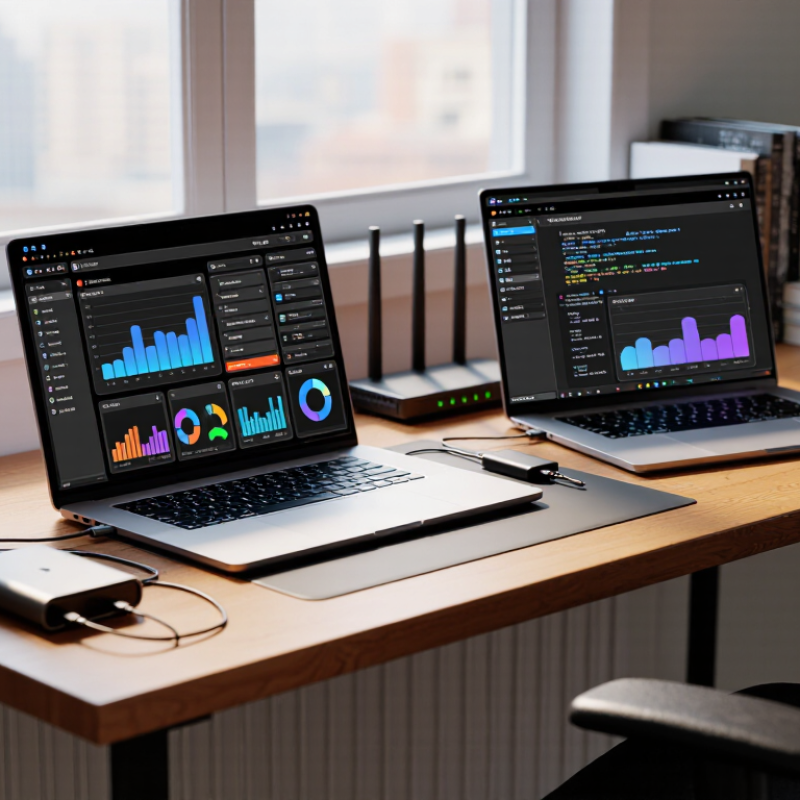
What Makes a Laptop Suitable for Server Use
A suitable laptop server needs more than a fast processor. It must handle sustained workloads without overheating, throttling, or sudden sleep events. In practical testing, monitor CPU temperature, fan speed, memory pressure, and storage latency for several hours. Short tests can mislead.
Memory capacity matters. A small file server may run well with 8GB, but virtualization often needs 16GB or more. Solid-state storage improves response time, although consumer drives may wear faster under constant writes. A wired Ethernet connection is usually more dependable than wireless networking. Remote administration also reduces the need to keep the lid open.
Power resilience deserves attention. The Uptime Institute’s Annual Outage Analysis reported that 54% of respondents experienced outage costs above $100,000 in 2023. A laptop battery offers brief protection, not a complete continuity plan. Add automatic shutdown controls and external backup power. Keep ventilation clear.
Security and maintainability are equally important. The 2024 Verizon Data Breach Investigations Report found that vulnerability exploitation increased sharply as an initial access method. Therefore, regular patching, encrypted backups, and restricted administration are essential. Many laptops lack ECC memory, redundant power, and replaceable cooling parts. That is a real limitation. I would not treat every laptop as a server, even when its benchmark score looks impressive. A quieter machine with stable temperatures may outperform a faster one over months of continuous use.
| Rank | Laptop Server Profile | Recommended Processor Class | Memory | Storage Configuration | Networking | Suitable Server Workloads | Main Strength | Primary Limitation | Suitability |
|---|---|---|---|---|---|---|---|---|---|
| 1 | Compact Home Server Laptop | Modern 4-core to 6-core low-power processor | 16 GB | 512 GB NVMe SSD; external backup recommended | Gigabit Ethernet through adapter; Wi-Fi 6 or newer | File sharing, media serving, personal cloud, lightweight web services | Low energy consumption and quiet operation | Limited internal storage expansion and cooling capacity | Good for home use |
| 2 | Business Productivity Server Laptop | Modern 6-core to 8-core mainstream processor | 16–32 GB | 512 GB to 1 TB NVMe SSD | Gigabit Ethernet adapter; Wi-Fi 6 or newer | Document sharing, print services, DNS, DHCP, small databases | Balanced performance for small offices | Most models lack redundant power supplies | Good for small business |
| 3 | Virtualization-Focused Laptop | 8-core or higher processor with hardware virtualization support | 32–64 GB | 1 TB NVMe SSD; separate external backup drive | Gigabit Ethernet; Wi-Fi should not be the primary connection | Multiple Linux or Windows virtual machines, test labs, development environments | High memory capacity and flexible testing | Sustained virtualization loads create heat and fan noise | Very good for laboratories |
| 4 | Mobile Workstation Server | High-performance 8-core to 16-core processor | 32–64 GB | 1–2 TB NVMe SSD; encrypted backup recommended | Gigabit Ethernet adapter; Wi-Fi 6E or newer | Large development stacks, analytics, containers, engineering applications | Strong multi-core performance | Higher cost, weight, power use, and heat output | Excellent for intensive tasks |
| 5 | Dual-Drive Backup Server Laptop | Modern 6-core to 8-core processor | 16–32 GB | Two internal SSDs where supported; scheduled off-device backup required | Gigabit Ethernet preferred | Backup management, archival storage, synchronization, file history | Better local storage organization and recovery options | Two drives do not automatically provide complete backup protection | Very good for backup duties |
| 6 | Container Development Server Laptop | 6-core to 12-core processor with virtualization support | 32 GB | 1 TB NVMe SSD with high random-read performance | Gigabit Ethernet; stable wired connection recommended | Container platforms, local application stacks, API testing, code repositories | Fast deployment and isolated development environments | Container storage can consume disk space quickly | Excellent for developers |
| 7 | Portable Media Server Laptop | Modern 6-core to 8-core processor with integrated graphics | 16–32 GB | 1 TB NVMe SSD plus external high-capacity storage | Gigabit Ethernet for high-bitrate streaming | Music, video, photo libraries, home streaming, remote access | Hardware-assisted media transcoding on supported platforms | Multiple simultaneous transcodes may exceed laptop cooling limits | Good for personal media |
| 8 | Rugged Field Server Laptop | Low-power 4-core to 8-core processor | 16–32 GB | 512 GB to 1 TB SSD with full-disk encryption | Wired Ethernet, Wi-Fi, and optional cellular connectivity | Offline databases, field diagnostics, local coordination, temporary services | Improved resistance to vibration, dust, and changing environments | Usually heavier and less powerful than standard mobile systems | Best for field operations |
| 9 | Low-Power Always-On Server Laptop | Efficient 4-core to 8-core processor with configurable power limits | 16 GB | 512 GB SSD; automated external backup recommended | Gigabit Ethernet through a reliable adapter or docking station | Monitoring, home automation, DNS filtering, lightweight network tools | Lower electricity use during continuous operation | Battery aging and thermal management require attention | Excellent for light services |
| 10 | Remote Administration Server Laptop | Modern 4-core to 8-core processor | 16–32 GB | 512 GB NVMe SSD with encrypted recovery media | Gigabit Ethernet, Wi-Fi 6, and optional cellular backup | Remote management tools, secure gateways, network testing, emergency administration | Portable connectivity and fast recovery capability | Not designed for large databases or high-volume public services | Very good for IT support |