Top 10 Tips for Choosing Dell Monitors for Your Business?
When it comes to upgrading your office setup, choosing the right Dell Monitors is crucial. These monitors are known for their quality and reliability. Selecting the perfect model can significantly affect productivity and employee comfort. The vast array of options available can be overwhelming. Understanding what to look for is essential.
Many businesses may overlook key features that truly enhance the user experience. Dell Monitors offer various sizes, resolutions, and technologies. Knowing the specific needs of your team is important. Should you focus on color accuracy or ultra-wide displays? Each choice comes with its own pros and cons.
Investing time in research pays off. Consider how different Dell Monitors will fit into your existing space and workflow. It’s easy to be swayed by marketing claims. Yet, prioritizing genuine user needs will lead to better decisions. By carefully evaluating each option, you can ensure your investment aligns with your company's goals.
Understanding Your Business Needs for Monitor Selection
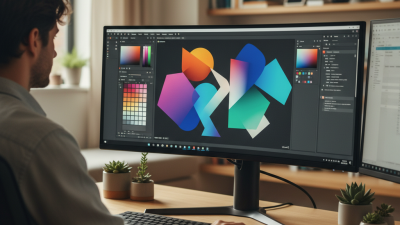
When selecting monitors for your business, start by assessing your specific needs. What tasks will your employees perform most frequently? If staff members focus on design, high-resolution displays are crucial. For data entry or office tasks, standard resolutions may suffice. Consider ergonomic features too. Adjustable stands can help prevent strain during long hours of use.
Think about space constraints in your office. A wall-mounted monitor might save space while enhancing visibility. Alternatively, if employees share monitors, choose models with good viewing angles. Durability is another factor. Monitors in busy environments face wear and tear, so investing in quality can prove beneficial.
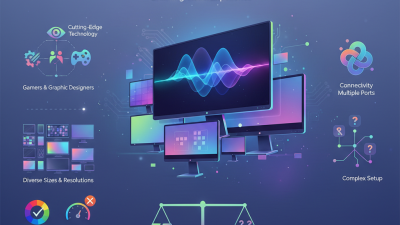
Reflect on connectivity options as well. Will you need multiple input ports? A device with versatile connectivity can streamline operations. Also, energy efficiency matters. Choosing monitors with lower energy consumption can lead to long-term savings. Monitor selection is not just about aesthetic appeal; it directly impacts productivity and employee satisfaction.
Evaluating Different Dell Monitor Specifications and Features
When selecting monitors for a business, understanding specifications is crucial. Research shows that 60% of employees believe a high-quality monitor increases productivity. Key specifications to consider include resolution, screen size, and panel type. Full HD (1920x1080) is a standard choice, yet 4K resolution is becoming popular for detailed tasks. A larger screen, such as 27 inches or more, can aid multitasking.
Panel technology offers significant differences. IPS panels provide better color accuracy and viewing angles compared to TN panels. This matters for professionals involved in design work or content creation. It's reported that color accuracy directly impacts client satisfaction by up to 30%. However, IPS panels often come with a higher price tag, requiring thoughtful budgeting.
Refresh rate and response time can also influence user experience. A refresh rate of 60Hz may suffice for general tasks, but gaming or graphic-intensive work demands at least 120Hz. Users should consider their primary tasks. Moreover, the ergonomics of monitor stands can affect comfort and long-term use. Employees may experience strain without adjustable stands. Even with impressive specifications, if the ergonomics are overlooked, it can lead to decreased productivity. Balancing features and budget is essential for effective decisions.
Comparing Dell Monitor Sizes and Resolutions for Productivity
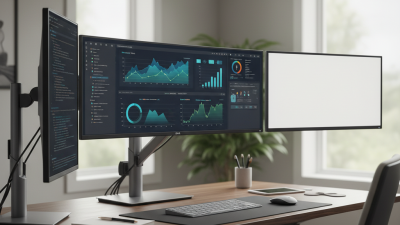
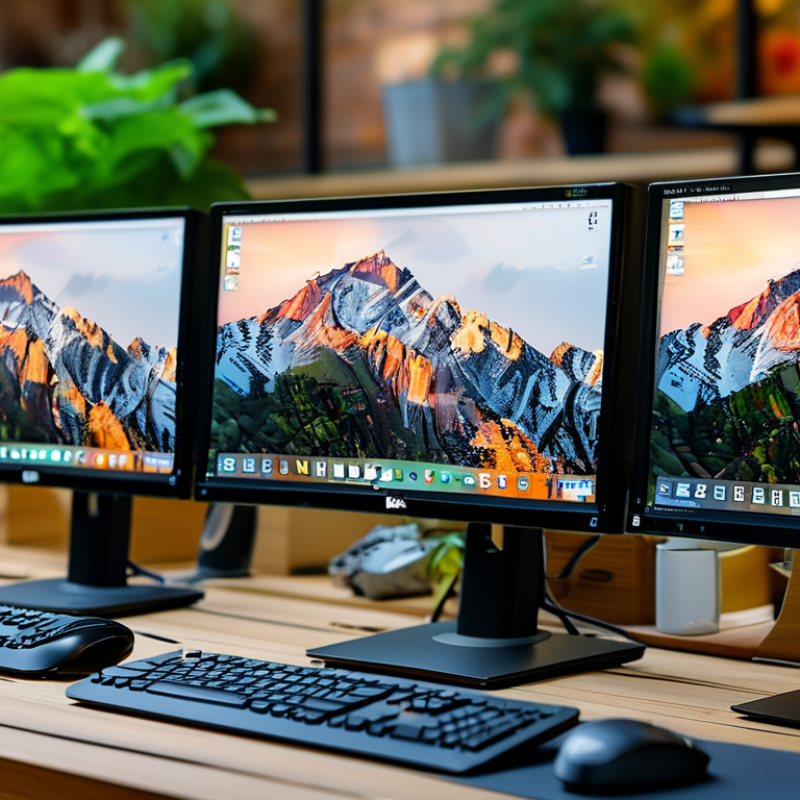
When selecting a Dell monitor for your business, considering size and resolution is crucial for productivity. Research shows that larger monitors tend to boost efficiency. A study published in the Journal of Usability Studies noted that users with dual-monitor setups increased productivity by up to 42%. Monitors with 27 inches or larger provide ample screen space for multitasking, enabling users to work simultaneously on various applications.
Resolution plays a significant role in clarity and detail. A monitor with a 4K resolution provides four times the pixel density of a 1080p monitor. This higher resolution is particularly beneficial for graphic design and data analysis. According to a report by the Display Industry Association, workers using 4K monitors reported a 30% reduction in eye strain, contributing to a more sustainable work environment.
However, not all tasks require high resolutions. For basic office work, a Full HD (1080p) monitor can suffice. The choice should reflect the types of tasks employees will perform. Overestimating needs can lead to unnecessary expenses. Balancing screen size and resolution with budget constraints is essential. A careful approach ensures that investment aligns with actual business requirements.
Assessing Connectivity Options for Dell Monitors in Your Workspace
When selecting a monitor for your business, connectivity options are crucial. Monitor connectivity affects how easily you integrate devices into your workspace. Traditional HDMI and DisplayPort connections are common. But with the rise of USB-C, many businesses prefer this versatile option. USB-C consolidates power, video, and data transfer into one cable. It simplifies your setup, reducing desk clutter.
Consider how many devices you’ll connect to your monitor. Multiple ports can prevent frequent switching of cables. Some monitors offer daisy-chaining, allowing you to connect multiple displays using one port. However, not all setups can support this feature seamlessly. Evaluating your current devices and their compatibility with the monitor’s ports is necessary.
An essential aspect is the positioning of your monitor. Ensure cables aren’t a hindrance when adjusting your workspace. Think about cable length and placement. Long cables can create a tangled mess. Short cables may limit monitor positioning, affecting visibility and comfort. A thoughtful approach to connectivity can vastly improve your daily work experience.
Top 10 Tips for Choosing Dell Monitors for Your Business
Budget Considerations and Warranty Options for Dell Monitors
When selecting monitors for business use, budget considerations play a crucial role. A report from TechRadar indicates that businesses should allocate around 30% of their tech budget to screens. Monitors are integral to productivity, and choosing the right one is a financial decision that impacts your bottom line. Companies should evaluate whether to invest in high-end models or opt for more budget-friendly options. A balance between performance and cost is essential.
Warranties are another critical factor to consider. According to a study by SquareTrade, up to 25% of electronics may fail within three years. This highlights the importance of having a solid warranty when purchasing monitors. Warranties differ widely in coverage, limiting costs for future repairs or replacements. It’s advisable to read the fine print. Some warranties cover only parts, while others may include labor costs.
Choosing monitors is not just about the upfront cost. Continuous expenses like repairs and replacements should factor into your decision. Evaluate your team’s specific needs. Suitable monitors enhance productivity and can reduce overall costs. A thoughtful approach ensures that your investment yields maximum returns.