How to Get Free FTP Storage for Your Business?
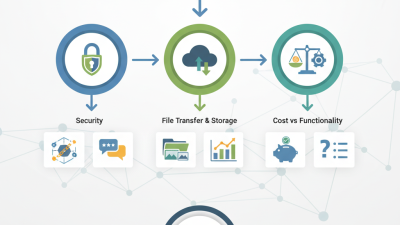
How can a small business find reliable Ftp Storage Free without putting its files at risk? Start with a clear inventory: daily file volume, number of users, and how long records must remain available. A free FTP or file-transfer tier can suit a small website, a few vendor documents, or occasional backup copies. It may not suit payroll data, customer records, or files that need dependable recovery. Check storage caps, transfer limits, inactivity rules, encryption, account controls, and support before uploading. Read the limits.
FTP itself does not automatically protect data in transit. Prefer a provider that supports FTPS or SFTP, and test access with a non-sensitive sample file first. Bruce Schneier, a respected security technologist, wrote, “Security is a process, not a product.” That principle applies here: strong settings matter, but so do access reviews, separate backups, and a tested restore. Keep one copy outside the free account. Then try restoring it.
Free plans can change, and a generous quota today may become inconvenient later. Note current limits, set a reminder, and estimate migration costs before depending on the service. I would not treat a free tier as a complete backup strategy. That may sound cautious. One failed restore makes the point. Choose Ftp Storage Free for modest, low-risk workloads, and consider managed storage when continuity, support, or stronger controls become essential.

Assess Your Business’s FTP Storage Needs and Data Requirements
How to Get Free FTP Storage for Your Business?
Assess Your Business’s FTP Storage Needs and Data Requirements
Before choosing free FTP storage, measure what your business actually sends and keeps. List daily uploads, average file size, peak transfer hours, user accounts, and retention periods. A folder of 200 product images behaves differently from weekly video archives. IDC’s Data Age 2025 forecast projected 175 zettabytes of data created, captured, or replicated worldwide in 2025. That scale is a reminder to plan for growth, not a reason to overbuy. Start with a sample. Track one representative week, then estimate monthly storage and transfer volume.
Check the service’s storage quota, maximum file size, bandwidth limits, account inactivity rules, and recovery options. Confirm whether files are encrypted in transit and at rest, and who can access shared folders. A free quota may cover routine documents but fail when a few large projects arrive together. Our first estimate is often wrong; revisit it after a month of real use. Also decide which files need long-term storage and which can be removed under your internal retention policy.
Tips: Keep a simple inventory with file type, size, owner, and retention date. Test uploads and downloads using a noncritical folder before moving business files. Keep a separate backup; FTP space alone is not a recovery plan. Check usage every month.
Compare Free FTP Storage Providers, Limits, and Terms
Free FTP storage can suit a small team moving invoices or product photos, but free plans differ sharply. Compare storage caps, monthly transfer allowances, file-size limits, and connection counts. A 5 GB quota may sound generous until nightly backups fill it. Check whether inactive accounts or files expire. Read the fine print.
Terms deserve equal attention. Some providers restrict commercial use, shared accounts, or automated transfers; others reserve support and recovery tools for paid plans. Confirm where files are stored, how long deleted files remain recoverable, and whether data exports carry fees. Test an upload, download, and deletion before moving business records. These details are easy to miss. A comparison table can miss a clause, too, so verify the current terms.
Security matters more than a large headline quota. Plain FTP does not encrypt credentials or files in transit, so look for SFTP or FTPS support. Use individual accounts and strong passwords. Ask about encryption at rest, access logs, and backup retention. Keep a separate copy of important files. Record the quota and renewal date in your team’s transfer notes.
Create an Account and Configure Your FTP Storage Space
Choose a reputable storage provider with a free tier, then review its quota, file-size limits, and inactivity rules. Create an account with a dedicated work email and a strong, unique password. Verify the email before configuring access. Free space can be useful for small transfers, but it may not suit every business workflow. Check the terms carefully.
Tips: Use a separate account for business files. Enable two-factor authentication if available. Keep a record of the server address and connection settings in a secure place, not in a shared chat.
In the account dashboard, note the FTP server address, port, username, and assigned folder. Use encrypted access, such as FTPS, when the provider supports it; standard FTP does not protect login details in transit. Set folder permissions so each user can access only the files they need. Upload a small test file, then reconnect to confirm it appears in the right directory. I still double-check the folder path, since one misplaced character can send a file somewhere unexpected. Finally, test access from a second device and keep another copy of important files. Free storage is convenient, but its limits can change, so review your account settings regularly.
Secure Access with Strong Credentials and Transfer Settings
Free FTP storage may reduce costs, but “free” does not mean safe by default. Verizon’s 2024 Data Breach Investigations Report found that 68% of breaches involved a non-malicious human element, such as mistakes or social engineering. IBM’s 2024 Cost of a Data Breach Report estimated the global average breach cost at $4.88 million. Those figures make basic account controls worth the extra minutes.
Use a unique, long passphrase for every account, and enable multi-factor authentication when available. Give each employee an individual login with access limited to the folders they need. Disable anonymous access, remove accounts promptly when roles change, and keep credentials out of shared inboxes and scripts. Easy to overlook. Review the access list monthly; an old shared login can linger long after a project ends.
Check the transfer method before uploading business files. Standard FTP does not encrypt credentials or data in transit, so choose SFTP or FTPS with encryption enabled. Verify the server’s host key or certificate rather than clicking through warnings. Set transfer timeouts, restrict write access, and test with a small, non-sensitive file first. It is tempting to trust a successful upload as proof of security, but it only confirms that the file arrived. Keep logs and avoid storing sensitive records on free accounts unless their access controls and retention settings meet your needs.
Test File Transfers and Monitor Storage Usage
A free FTP account can help a small business test file delivery before paying for more capacity. Upload a 20 MB sample file, download it on a second device, and compare file sizes or checksums. Start small. Repeat the test during busy hours, when slow connections or timeouts may appear. FTP alone does not encrypt transfers, so choose an encrypted transfer option when handling confidential files. Check the provider’s storage cap, file-size limits, and inactivity rules before relying on the account.
Monitor usage after every test. Record the starting space, uploaded file size, and remaining capacity; then remove test files and confirm the total updates. Set a calendar reminder before reaching the limit. A failed upload may leave partial files behind. That detail is easy to miss. The 2024 Data Breach Investigations Report found that 68% of breaches involved a non-malicious human element. The 2024 Cost of a Data Breach Report put the global average breach cost at $4.88 million. These figures do not mean free FTP storage causes breaches, but they support careful access and routine checks. Free tiers change, too, so recheck limits rather than assuming yesterday’s numbers still apply.