How to Configure Juniper Routers for Optimal Network Performance
In today's fast-paced digital landscape, ensuring optimal network performance is paramount for businesses striving for efficiency and competitive advantage. According to a recent report by Gartner, organizations that optimize their network infrastructure can improve their operational performance by up to 30%, translating into significant cost savings and higher customer satisfaction. An essential component of such infrastructure is the deployment of Juniper Routers, recognized for their robust performance and advanced capabilities that align with modern networking demands.
Configuring Juniper Routers effectively can lead to enhanced data throughput, reduced latency, and improved overall network resilience. As enterprises continue to embrace cloud services and IoT devices, the complexity of network management increases, making the configuration of routers a critical factor in maintaining optimal performance. Industry insights suggest that companies that engage in proactive network configuration see a decrease in downtime by approximately 25%. Therefore, understanding the intricacies of Juniper Routers and implementing best practices in their configuration is essential for any organization seeking to harness the full potential of their network resources.
Understanding the Basics of Juniper Routers and Network Performance
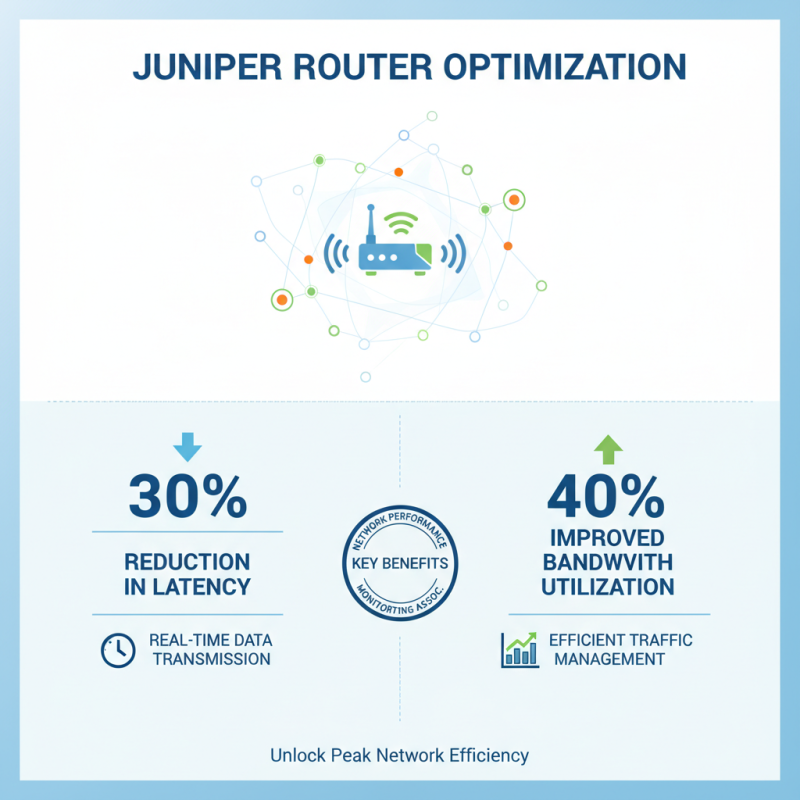
When it comes to optimizing network performance, understanding the fundamentals of router configurations is essential. Juniper routers, known for their robust architecture, offer a wide range of features that can significantly enhance network efficiency. According to a report from the Network Performance Monitoring Association, effective configuration can lead to a 30% reduction in latency, which is critical for applications requiring real-time data transmission. Additionally, fine-tuning routing protocols and traffic management settings can improve bandwidth utilization by up to 40%.
To achieve optimal performance, it's crucial to monitor network traffic patterns. Analyzing these patterns helps identify bottlenecks and areas needing improvement. Implementing Quality of Service (QoS) settings is a highly recommended practice. Prioritizing mission-critical applications ensures they receive the necessary bandwidth during peak usage times. Furthermore, considering the latest best practices in network segmentation can enhance both performance and security.
**Tips:** Regularly update routing protocols and firmware to combat vulnerabilities and improve stability. Utilize automated monitoring tools to obtain real-time insights into network performance, which can help in making informed adjustments as needed. Lastly, always document configuration changes for easier troubleshooting and consistency in network management.
Key Factors Affecting Network Performance on Juniper Routers
When configuring routers for optimal network performance, several key factors come into play. First and foremost is the choice of routing protocol. Different protocols offer varying levels of efficiency based on network size and complexity. For smaller networks, simpler protocols like RIP might suffice, while larger networks may benefit from protocols such as OSPF or BGP, which provide better scalability and load balancing.
Another critical factor is the configuration of Quality of Service (QoS) settings. Properly implementing QoS ensures that time-sensitive applications, like VoIP or streaming services, receive priority over other types of traffic. This helps maintain the performance of latency-sensitive applications, even in times of heavy network usage.
Tip: Regularly monitor and analyze network performance using available tools to identify bottlenecks and unnecessary latency. This data can guide adjustments in routing and QoS configurations to enhance overall efficiency.
Additionally, ensuring sufficient hardware resources, such as CPU and memory, is vital for maintaining optimal network performance. Overloading a router with excessive tasks can lead to increased latency and dropped packets. Maintain an up-to-date inventory of network bandwidth and scale resources as needed to match the demands of an evolving network landscape.
Tip: Implement a proactive maintenance schedule that includes firmware updates and hardware checks to prevent performance degradation over time. Regular updates can fix bugs and improve functionality, contributing to a more resilient network.
Step-by-Step Configuration Guidelines for Juniper Routers
Configuring routers for optimal network performance involves several key steps. First, it’s essential to define your network’s specific needs and traffic patterns. Begin by accessing the router’s configuration interface, where you can set basic parameters such as hostname, interface IP addresses, and routing protocols. Properly assigning interfaces based on your network topology ensures efficient traffic management.
Consider using Virtual LANs (VLANs) to segment your network, reducing congestion and improving performance.
Next, implement Quality of Service (QoS) settings to prioritize critical traffic. This involves configuring traffic classes and policies to ensure that important applications receive the bandwidth they require. Additionally, monitoring tools should be set up to observe network performance in real-time. These tools can help identify bottlenecks or anomalies that may need addressing.
Lastly, regularly update the routing protocols and firmware to benefit from performance enhancements and security patches. Employ redundancy and load balancing strategies to enhance reliability and throughput. Through these structured steps, router configurations can greatly improve overall network performance and user experience.
Monitoring and Troubleshooting Performance Issues in Juniper Routers
Monitoring and troubleshooting performance issues in routers are critical tasks for network administrators seeking to maintain optimal performance. One of the key strategies involves implementing real-time monitoring tools that can provide insights into traffic patterns, bandwidth utilization, and latency. According to industry research by the International Data Corporation, around 70% of network downtime is attributable to unmonitored performance issues. By proactively monitoring these parameters, network professionals can identify bottlenecks and understand the root causes of performance degradation before they escalate into significant outages.
In addition to monitoring, effective troubleshooting requires a systematic approach. Utilizing network performance metrics like jitter, packet loss, and throughput can guide administrators in diagnosing issues. For instance, a report from the NetData Corporation highlights that routers experiencing over 2% packet loss can result in a noticeable drop in application performance, significantly impacting user experience. Techniques such as loopback tests, traceroutes, and leveraging SNMP (Simple Network Management Protocol) data can facilitate quick identification of problem areas. By continually refining these processes, organizations can ensure that their networks run efficiently, ultimately supporting better overall performance and user satisfaction.
Best Practices for Optimizing Network Performance on Juniper Routers
When it comes to configuring routers for optimal network performance, adopting best practices is essential. One of the fundamental steps is to ensure that the router firmware is up to date. Regular updates not only enhance performance but also patch security vulnerabilities that could otherwise be exploited. Keeping the software versions current can prevent unexpected downtimes and improve overall reliability.
Tips: Always schedule regular maintenance checks to assess the firmware status and apply updates as necessary. This proactive approach can save time and resources in the long run.
Another important practice is optimizing the routing protocols in use. Adjusting parameters such as the routing metric, timers, and load balancing options can significantly enhance the performance of your network. It’s advisable to analyze the network traffic patterns and customize these settings to ensure efficient use of bandwidth and minimal latency.
Tips: Utilize tools for monitoring network performance. These tools can provide insights into traffic flow and help identify bottlenecks, allowing you to make informed adjustments to your routing configuration.
Network Performance Metrics for Juniper Routers