How to Choose Between File Server and Cloud Storage for Your Business?
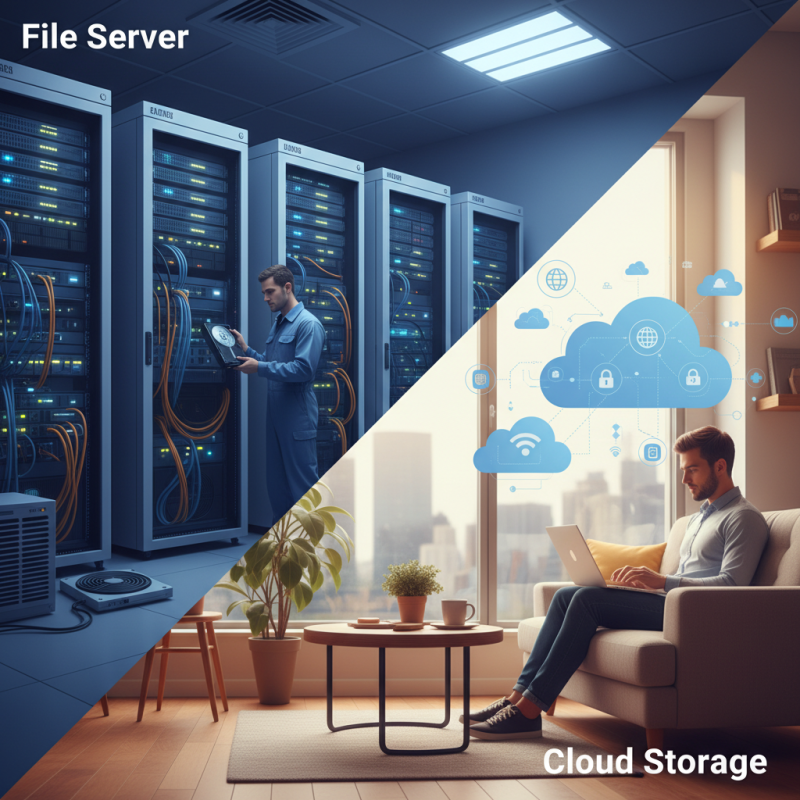
Choosing the right storage solution for your business is crucial. You may find yourself between a file server and cloud storage. Each option has its benefits and drawbacks.
File servers provide physical control over your data. Businesses can tailor their file servers to meet specific needs. However, they require maintenance, upgrades, and security measures. This responsibility can burden smaller teams.
On the other hand, cloud storage offers flexibility. Data is accessible from anywhere with an internet connection. It provides scalability that can grow with your business. Yet, data security and compliance can be concerns. Determining which solution fits best requires thorough reflection. Understanding your business’s unique needs is essential. Balancing control against convenience shapes your final decision.
Understanding File Servers and Cloud Storage Options for Businesses
When it comes to storage options, businesses need to consider both file servers and cloud storage. File servers provide local data storage. They allow quick access and control, which some companies prefer. However, maintenance can be an issue. Downtime may occur due to software updates or hardware failures. According to a report by Gartner, 60% of businesses experience significant interruptions with on-premises servers each year.
On the other hand, cloud storage offers flexibility and scalability. You can increase storage as needed, reducing unnecessary costs. A study by IDC indicates that 70% of companies are moving their data to the cloud to enhance operational efficiency. Security is often a concern, yet major providers invest heavily in protection measures. Remember, not all cloud services are created equal. Businesses must evaluate their specific needs and potential risks.
Choosing between these options isn't easy. Cost, security, and control play vital roles. Many overlook the hidden costs of file servers like power and real estate. Cloud storage often has unpredictable expenses tied to data transfers or backups. Reflecting on these aspects can guide businesses to the best choice for their unique situation.
How to Choose Between File Server and Cloud Storage for Your Business?
| Feature |
File Server |
Cloud Storage |
| Initial Setup Cost |
High |
Low to Medium |
| Maintenance Cost |
High |
Low |
| Accessibility |
Limited to Network |
Accessible Anywhere |
| Data Security |
Depends on Local Measures |
Strong Encryption |
| Scalability |
Limited |
Highly Scalable |
| Collaboration Features |
Basic |
Advanced |
| Backup Solutions |
Requires Manual Setup |
Automated Backups |
| Integration with Other Tools |
Limited to Server Apps |
Wide Range of Integrations |
Evaluating the Cost-Effectiveness of File Servers vs. Cloud Storage
When deciding between a file server and cloud storage for your business, cost-effectiveness is crucial. A file server requires upfront investments in hardware and software. Maintenance costs can add up over time. You also need to consider electricity, space, and IT personnel. On the other hand, cloud storage typically involves subscription fees that can scale with your business needs. This flexibility can lead to better budgeting.
Tips: Analyze how much data your business generates. Estimate future growth in data storage needs.
Think about security measures too. File servers can offer more direct control over sensitive information. However, managing security protocols increases complexity. Cloud storage providers often have robust security measures. Yet, you must trust an external entity with your data.
Tips: Always read reviews on security practices. Assess their customer support options. Remember that not all cloud solutions are created equal. Choose wisely to avoid unexpected costs.
Cost Comparison Between File Server and Cloud Storage
Assessing Security and Compliance for Your Data Storage Solutions
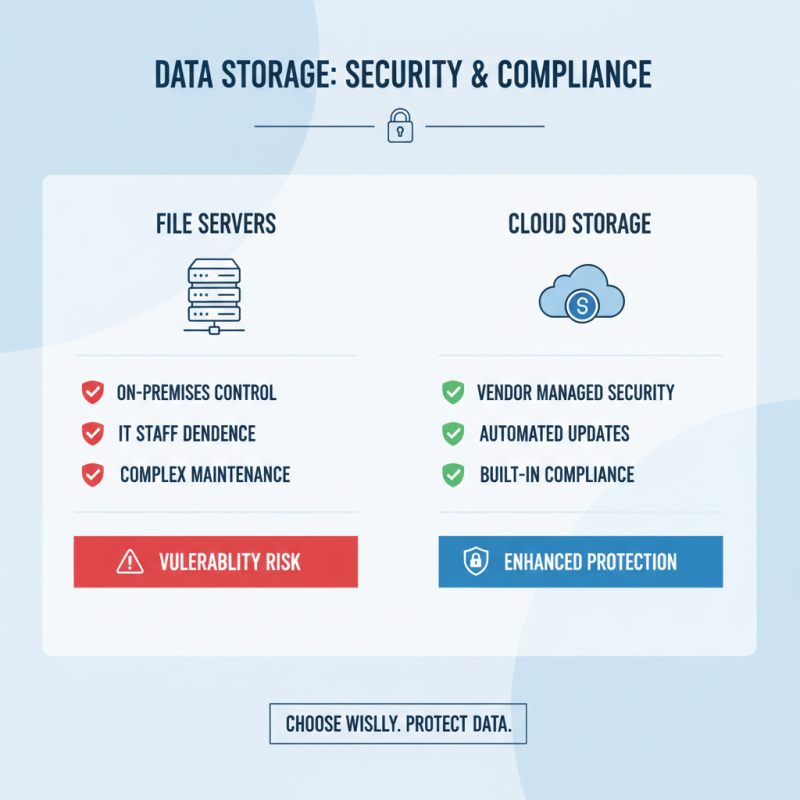
When considering data storage solutions, security and compliance are crucial. Businesses must evaluate how both file servers and cloud storage handle sensitive information. File servers exist on-premises, giving businesses control over their data. However, maintaining security can be complex. It relies heavily on IT staff to manage updates and protect against threats. A single oversight can lead to vulnerabilities.
Cloud storage presents a different scenario. It often comes with built-in security measures and compliance certifications. Yet, companies must trust third-party providers with their data. This trust can be worrisome. Data breaches, though rare, have occurred. Understanding the cloud provider's security protocols is essential. Organizations should ask hard questions about their data handling practices.
Regulatory compliance is another factor to consider. Different industries have specific regulations for data storage. File servers can be tailored to meet these requirements, but maintaining compliance is an ongoing process. Cloud solutions might streamline compliance, but companies need to verify that these providers stay updated with regulatory changes. A misstep here could lead to significant penalties. Weighing the risks against the convenience of each option is a balancing act.
Analyzing Scalability and Flexibility in File Servers and Cloud Storage
When considering scalability, file servers offer limited room for growth. An organization may need additional hardware, which incurs costs and requires time for installation. Cloud storage, on the other hand, can scale instantly. You can increase your storage capacity in just a few clicks. This flexibility is especially critical for businesses experiencing rapid growth.
Tips: Evaluate your anticipated growth. If you foresee a steady increase, plan accordingly. With cloud solutions, you won’t hit a storage ceiling. For a file server, regularly assess your needs to avoid over-purchasing hardware that quickly becomes obsolete.
Flexibility is essential in today’s business environment. Cloud storage allows remote access, enabling teams to collaborate from different locations. File servers restrict access based on location and network settings. If your team works remotely, think carefully about which option suits your needs best.
Tips: Think about collaboration tools. Cloud solutions can integrate well with many applications. This boosts productivity and keeps everyone aligned. However, file servers might not always support such integrations, leading to potential productivity losses. Consider who your team is and how they work.
Determining Performance Needs for Your Business Storage Solutions
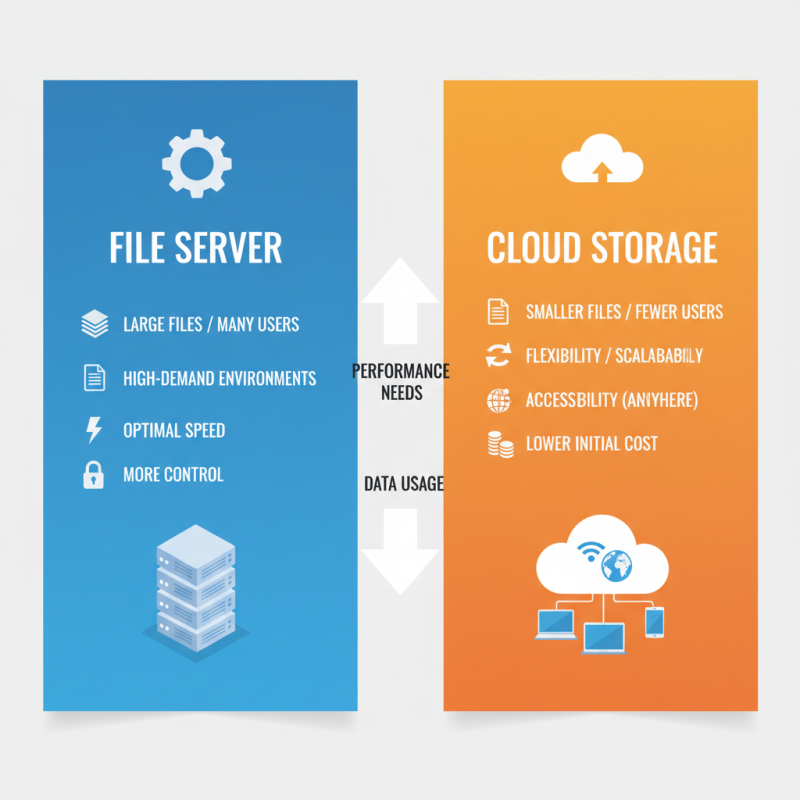
When choosing between a file server and cloud storage, understanding performance needs is crucial. Assess how your business uses data. For example, do you handle large files or have many users accessing data simultaneously? These factors will influence your decision. High-demand environments may require dedicated file servers for optimal speed and control.
Consider the implications of both options. File servers offer direct access and can be faster for large files. However, they require maintenance and infrastructure. On the other hand, cloud storage can be more flexible and accessible. Yet, the performance may vary depending on internet connectivity. Remote access might not always be reliable, especially during peak hours.
Evaluate your team’s workflow. Are employees often on the go? Cloud solutions might suit them better. But if there's a heavy reliance on specific software that runs better locally, a file server could be more appropriate. Recognizing these nuances can lead to a more informed choice, aligning storage solutions with real business needs.