
Juniper Routers cover a wide range of network needs, from compact branch offices to demanding data center environments. The right choice depends less on a model’s headline speed than on how it will perform in your specific network. Consider expected traffic, interface types, routing protocols, redundancy, and available rack space. A router with the right port count today may still feel constrained after a planned expansion. Small details matter.
This guide presents ten practical tips for evaluating Juniper Routers before you buy. It looks at performance requirements, compatibility with existing equipment, software and feature needs, support options, product lifecycle, and total cost of ownership. Check current Juniper product documentation for specifications, supported features, and licensing details; configurations and availability can change. Ask a qualified reseller or network professional to review your requirements when the deployment is complex. Even a tidy comparison spreadsheet can miss an awkward constraint, such as an incompatible optic or an overlooked support cost. There is no perfect shortlist. A careful process, with assumptions written down and verified, can help you avoid paying for capacity you will not use—or choosing hardware that cannot meet the demands you already have.
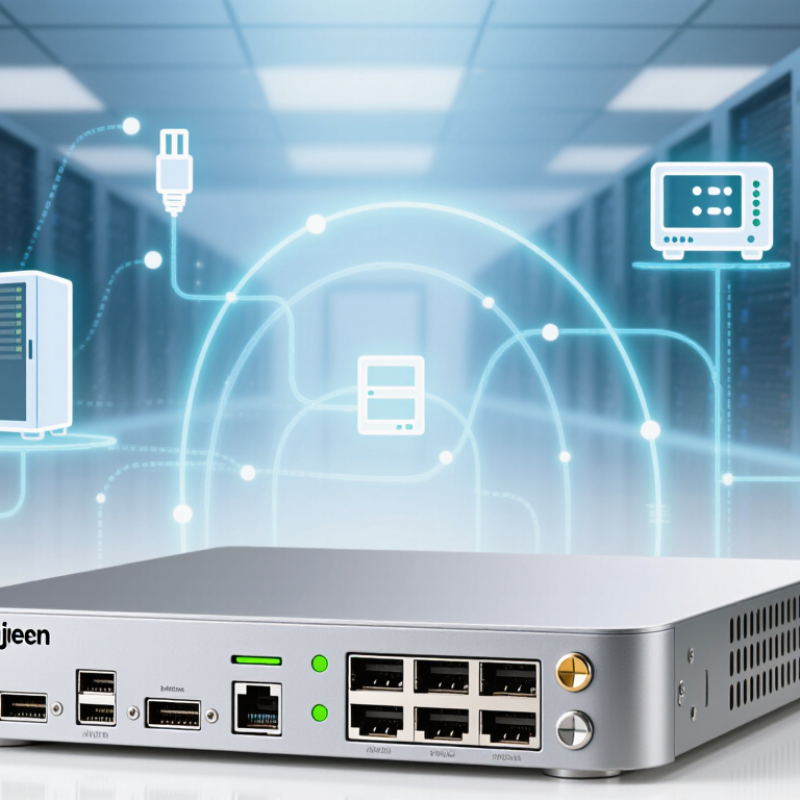
Start with the site. A router sized for a quiet office may struggle in a warehouse with metal shelving, roaming scanners, and bursts of video traffic. Map each location, connection type, user count, and critical application before comparing hardware. Note whether the device will sit in a cooled rack or a dusty wiring closet, and confirm available power, space, and support access. The International Telecommunication Union’s Facts and Figures 2024 estimated that 5.5 billion people were online, or 68% of the global population. That scale makes growth planning sensible, but global figures cannot predict your local traffic.
Measure the real load. Record peak throughput, concurrent connections, VPN use, and expected growth; averages can hide busy-hour congestion. Also define availability targets, failover paths, and required interfaces. Uptime Institute’s 2024 Global Data Center Survey reported that 54% of respondents’ most recent significant outages cost at least $100,000. The figure is not a forecast for every organization, but it underscores why resilience belongs in the requirements. Test assumptions against traffic logs and a site walk-through. A spreadsheet will miss some surprises. Leave room for uncertainty, and document the trade-offs; teams often underestimate wireless growth or forget power limits until installation day.

Tip 1: Start with the job. A compact branch router suits a small office with basic connectivity needs. Tip 2: For a campus or busy site, compare modular platforms with more ports and expansion options. Tip 3: Check throughput with security features enabled, not just the headline routing rate. Tip 4: Match interface speeds to your switches and internet circuit.
Tip 5: Estimate peak users and applications, then leave room for growth. Tip 6: Check redundancy options, power supplies, and failover behavior. Tip 7: Confirm the model supports your routing protocols and required network segmentation. The International Telecommunication Union’s Facts and Figures 2023 estimated that 5.4 billion people were online, about 67% of the global population. That scale makes dependable network capacity important, but it does not mean every site needs an oversized router.
Tip 8: Compare support life, software updates, and warranty terms. Tip 9: Review management tools and telemetry before buying; troubleshooting a busy rack is easier when alerts are clear. Tip 10: Test the shortlisted model in a realistic workload, including peak traffic and failover. A neat spec sheet can still mislead. I would also check noise, heat, and rack depth; these details are easy to overlook.
A router’s performance should match the traffic it will actually handle, not just a headline throughput figure. Estimate peak and typical workloads, including encrypted traffic, routing updates, and bursts from connected devices. Check forwarding capacity with the features you plan to enable; inspection or encryption can reduce available performance. Peak figures alone rarely tell the whole story.
Count the ports at each required speed, then map them to real connections: uplinks, servers, and links between network closets. A small office may need several copper ports, while a data center may rely on high-speed fiber. Leave room for growth. An unused port today can prevent an expensive hardware replacement later. Still, port counts can mislead. Confirm supported transceivers, breakout options, and power needs before ordering.
Software capabilities shape daily operations. Look for the routing protocols, segmentation, access controls, and monitoring tools your team can maintain confidently. Useful telemetry should show interface errors, traffic changes, and device health without requiring manual checks on every unit. Ask how updates are tested, scheduled, and rolled back if something breaks. Automation interfaces can reduce repetitive work, but only when documentation is clear. One detail is easy to miss: confirm which features require separate licenses. Compare test results, support commitments, and operating costs alongside the specification sheet.
Before buying a router, match its ports and software capabilities to the equipment already in your network. Check interface speed, fiber type, transceiver support, rack depth, and available power. A port that looks right may still require an incompatible module. Confirm that the router supports the routing protocols and security features your team actually uses. Ask for the exact software release and verify its support status, not just the hardware’s age. Small details matter.
Support coverage can change the real cost of a purchase. Compare response times, replacement options, repair terms, and whether support includes software updates. If the router serves a critical site, estimate how long your team could operate without it. A low purchase price is less attractive when replacement takes days. Also check whether coverage begins immediately or requires a separate agreement. Read the terms carefully.
Calculate total ownership costs over the period you expect to use the router. Include licenses, power, cooling, optics, installation, training, and ongoing support. Older equipment may need more troubleshooting time, even when it still passes traffic. A simple spreadsheet helps, but it can miss labor and downtime; ask operations staff to review the assumptions. I would leave room for surprises. The estimate will never be perfect.
In this example, the five-year total is $4,357. Estimates assume a $2,000 router, annual support at 12% of purchase price, 100 W average power use at $0.15/kWh, and $500 for deployment. Compare compatibility, support terms, and local operating costs before purchasing; actual costs vary.
A used enterprise router can look sound in a listing and still arrive with missing parts, altered configuration, or an unclear service history. Ask the seller for a business address, a verifiable support contact, and an invoice that identifies the exact model and serial number. Check that the serial number matches the chassis label and startup information. Ask for dated photos of the front, rear, ports, and power supplies. Small details matter.
Warranty wording deserves a close read. Confirm who handles claims, when coverage begins, and whether replacement shipping is included. Get the terms in writing; “tested” is not the same as warrantied. Uptime Institute’s 2024 Annual Outage Analysis found that 54% of surveyed organizations’ most recent significant outages cost more than $100,000. That figure is not specific to router purchases, but it shows why dependable infrastructure matters. Request a written test record covering boot status, port checks, and fan or power-supply faults. If the seller cannot provide one, price in independent testing. I would not treat a polished case as proof of good condition. Scratches are visible; intermittent faults often are not.